Asset Repair History
The Asset Repair History report will give a history of repair jobs within a specified date range and may be printed for a particular department, type of equipment, or one vehicle or piece of equipment.
Go to Reports > Asset Repair History.
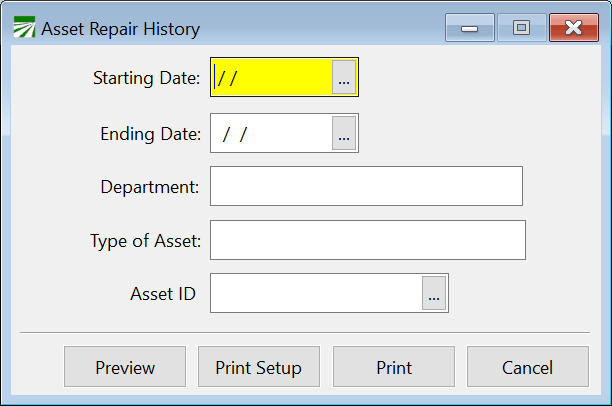
Starting Date
Enter the earliest date for which you would like to search for repair history.
Ending Date
Enter the latest date for which you want to search for repair history.
Department
If you only want to include one department in this report, enter the department name here. You may press [F4] or click on the lookup button to view a selection list of departments. Click on the department from this list to select it.
If you would like to include all departments in this report, or you have not set up multiple departments, leave this entry blank.
Type of Asset
If you only want to include one particular type of asset on this report, enter that equipment type here. You may press [F4] or click on the lookup button to get a lookup window of equipment types. Click on the equipment type from this list to select it.
If you would like to include all equipment types in this report, leave this entry blank.
Asset ID
If you would like to print this report for only one asset, enter the Asset ID here. You may press [F4] or click on the lookup button for a selection list of vehicles/equipment. Click on the vehicle/equipment to select it for this report.
To print this report for all assets under the department and type parameters selected above, leave this option blank.