Transfers
Transfers Overview
A simple, easy to use window is provided for entering transfers between your bank accounts. On the Checkbook Register window, click Transfers.
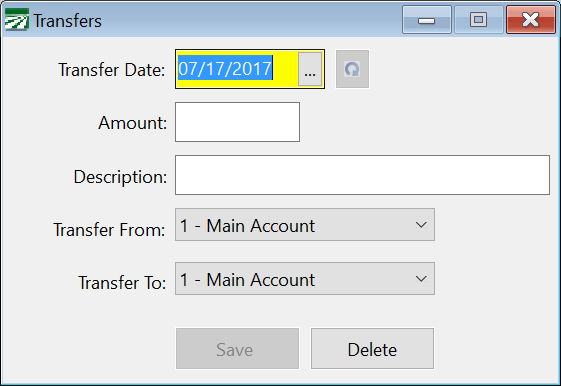
You can also edit a transfer transaction by double clicking on it on the Checkbook Register or pressing [Enter] while it is highlighted. This window will open with the information for that transfer displayed.
Transfer Date
Enter the date of the transfer here.
Amount
Enter the amount transferred.
Description
Enter a description here (for instance if you are transferring funds from your general account to your payroll checking account, you might type in "Payroll for July" or something like that).
Transfer From
Select the bank account to transfer money from. Click on the drop down button to see a list of your bank accounts. This will default to your current bank account selected on the Checkbook Register.
Transfer To
Select the bank account to transfer money to. Click on the drop down button to see a list of your bank accounts.
Save
Click on this button to save the transfer transaction. The window will clear for another entry.
Delete
If you are editing an existing transfer, you can delete it by clicking on this button.