Payroll Batch Report
The Batch Report is designed for proofing your payroll check entries so that any mistakes can be caught and corrected before checks are printed.
Go to Payroll > Checks > Payroll Batch Report.
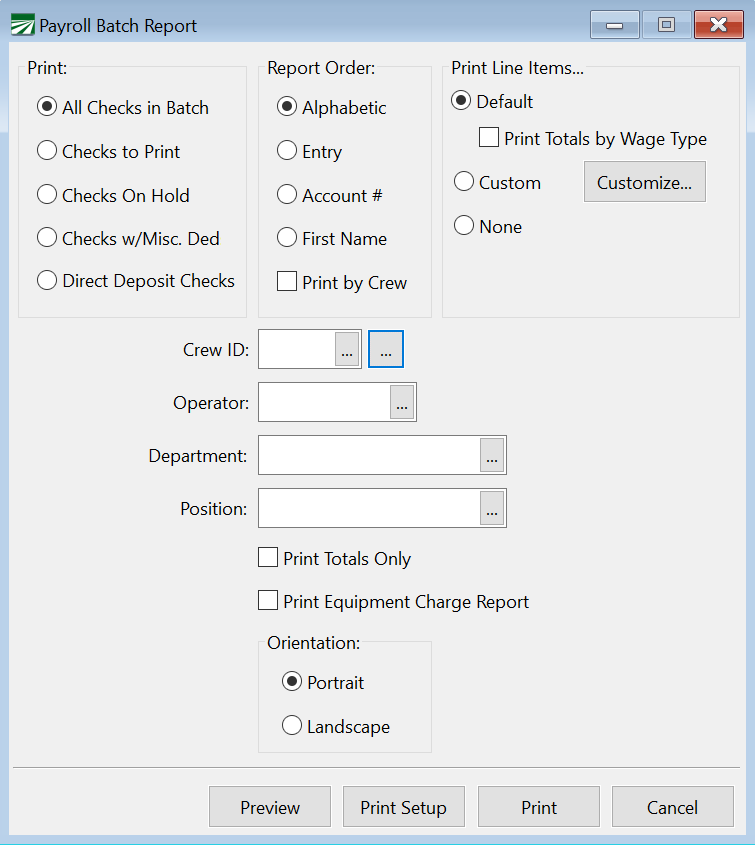
Select All Checks in Batch, Checks to Print, Checks on Hold, Checks w/Misc. Ded, or Direct Deposit Checks.
Report Order
Select either Alphabetic, Entry, Account #, or First Name for the order you wish the report to appear.
Print Line Items
Select which line items you would like to print. To print a custom report, select Custom and use the Customize button to make your adjustments.
Crew ID
If you only want employees on a specific crew printed, enter the crew number here. Otherwise, leave this entry blank to print all crews.
You can also select multiple crews by clicking the button to the far right of the Crew ID entry. Select your crews and click Ok. The entry will then show ‘Mult’.

Operator
In a multi-user system with more than one person entering payroll check information, you can enter and operator name here and only checks entered by that operator will be printed on the report.
Department
Select which department to print. If you wish to print the report for all departments, leave this section blank.
Position
Select which position to print. If you wish to print the report for all positions, leave this section blank.
Orientation
Select either Portrait or Landscape.