How to Enter a Bonus in a Single Pay Period
Follow these steps to enter a bonus for a particular pay period:
-
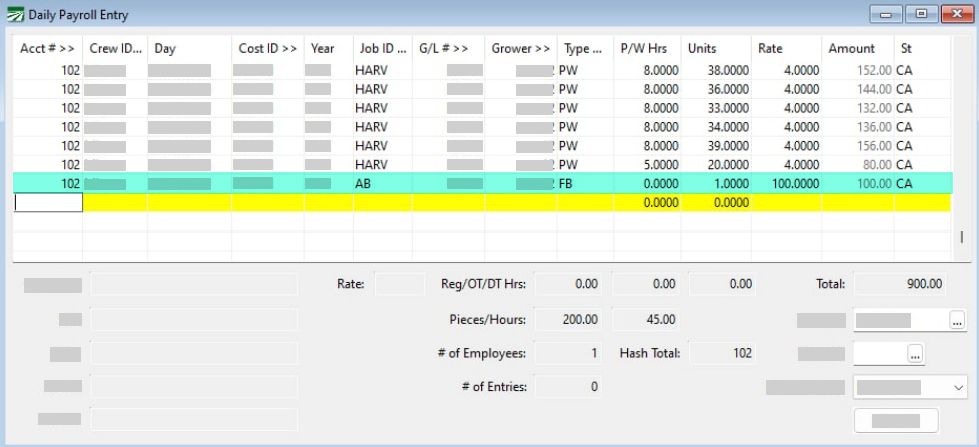
Go to Payroll > Daily Payroll Entry.
-
Enter the Acct # for the employee you are giving the bonus.
-
Enter the Day you are giving the bonus.
-
For the Job ID, select the Job ID for the Bonus you are giving.
-
For the Type, select your desired wage type for the flat sum bonus.
-
Enter 1 for Units, and the amount of the Bonus in Rate.
-
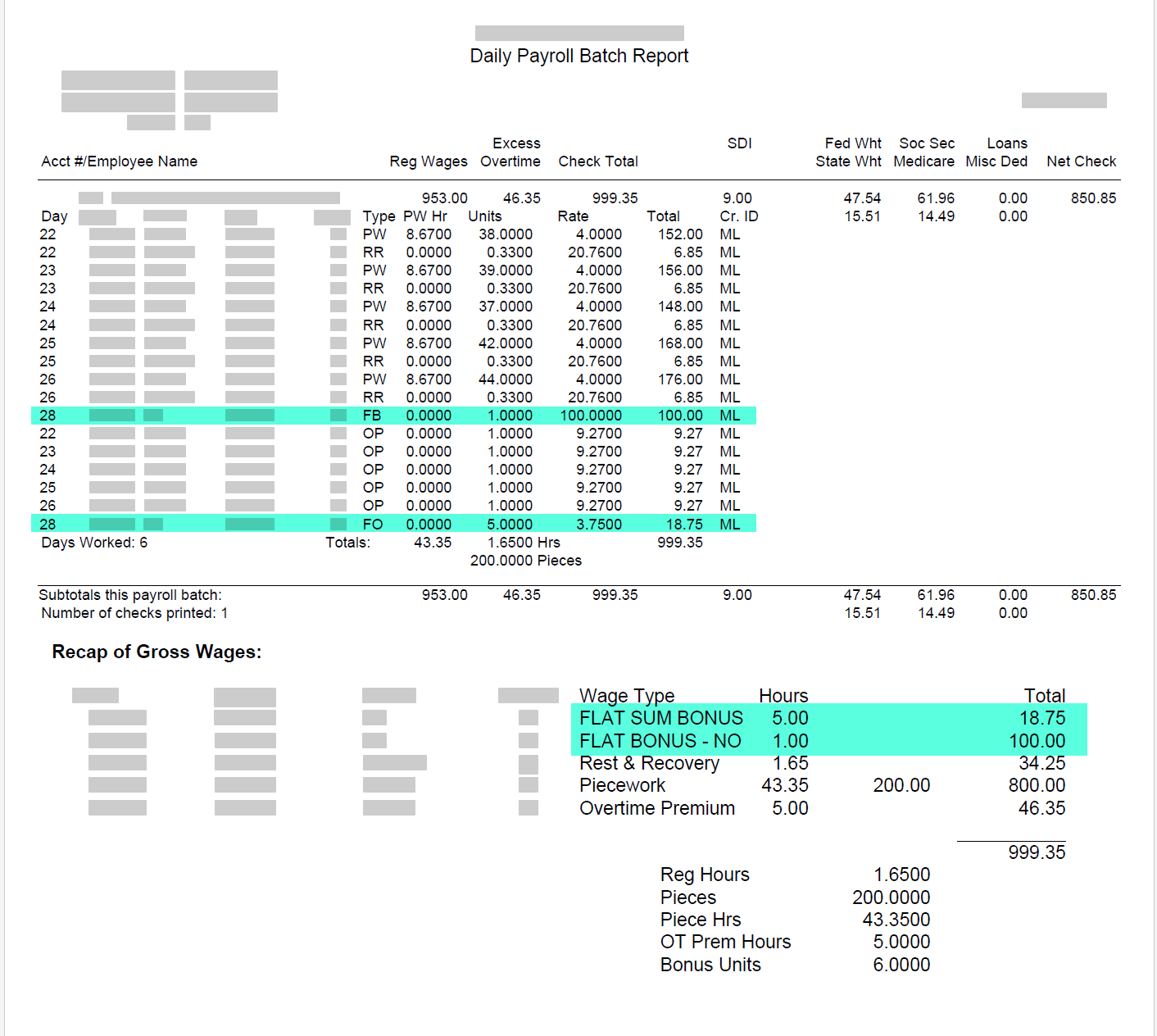
Then, if after entering payroll for the entire week there is overtime, the program will automatically calculate the Overtime Premium when checks are made based on the type of bonus and set up completed on your Overtime Rules.
Note These lines are not actually created yet in Daily Payroll. Entries in daily payroll may still be edited. When entries have been reviewed and you are ready to create checks, the final calculations and addition of the lines to the check record will be made.
Daily Payroll Batch Report Example:
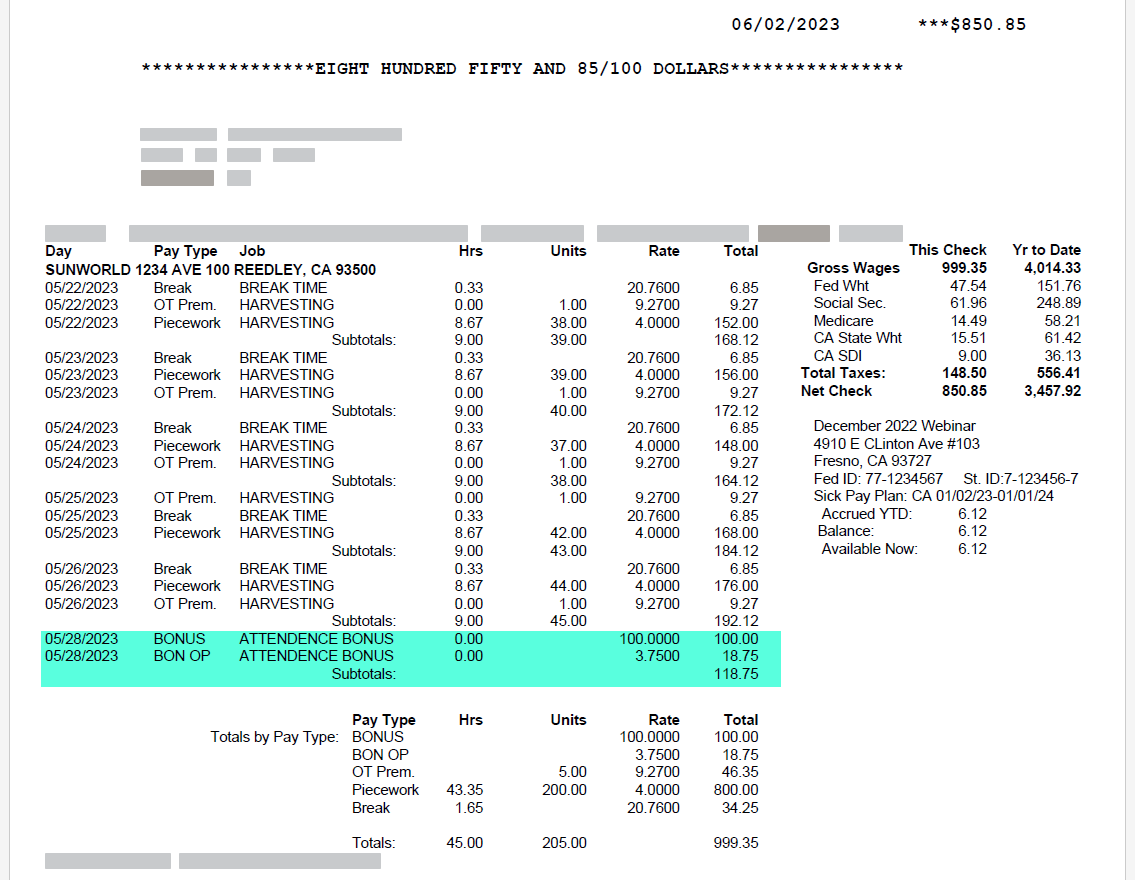
Check Stub Example: