Inventory Master List
The Inventory Master List will list all items entered into the Materials Inventory File. Information in the report will include Product Code, Division, Unit Type, Bill Unit, Conversion Factor, Gross Weight, Broker Code, Broker Rate, Average and Last Cost, and List Price.
Go to Materials Inventory > Reports > Inventory Master List.
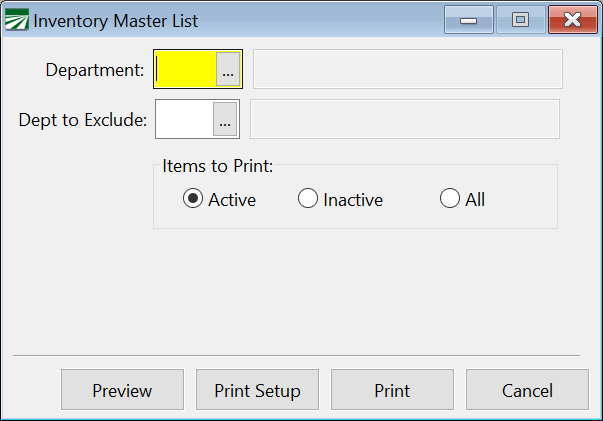
Department
If you have multiple departments and would like to print the Inventory Master List for one department only, select that department from the lookup. Otherwise, leave this field blank.
Department to Exclude
If you are generating a list for all departments by leaving the Department entry blank, you can choose to exclude specific departments using this option.
Items to Print
Active: All inventory items which are set to active. (Active box is checked on the Inventory File Entry window.)
Inactive: All inventory items which are set to inactive. (Active box is not checked on the Inventory File Entry window.)
All: Includes all inventory items regardless of active/inactive status.
When you have made your report selection criteria, you can preview the report on screen or print the report using the print options at the bottom of the window.