RPC Shipment Report
This is a custom option.
RPC Shipment Report
To print a report of RPC shipments, follow these steps:
-
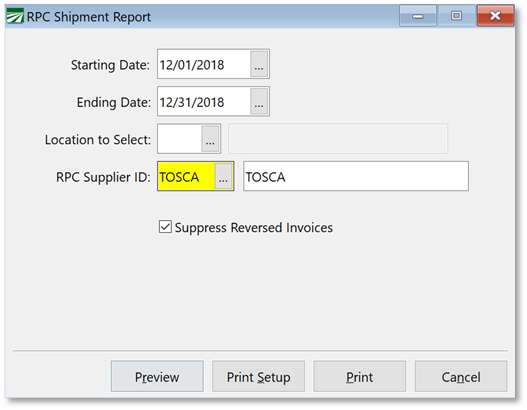
Go to Order Entry > RPC Shipment Report.
-
Enter the Starting and Ending Date for your report.
-
Select a location, (if selecting by warehouse location).
-
Select the RPC Supplier ID.
-
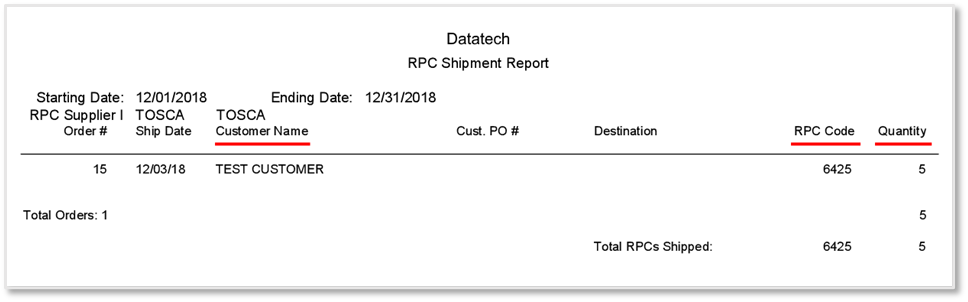
Click Preview. The following image is an example of this report.