Cost Center Summary Report
The Cost Center Summary Report window generates a report that lists many details about your Cost Centers. These include current and yearly period costs, cost per acre and quantities.
Go to Cost Accounting > Reports > Cost Center Summary Report.
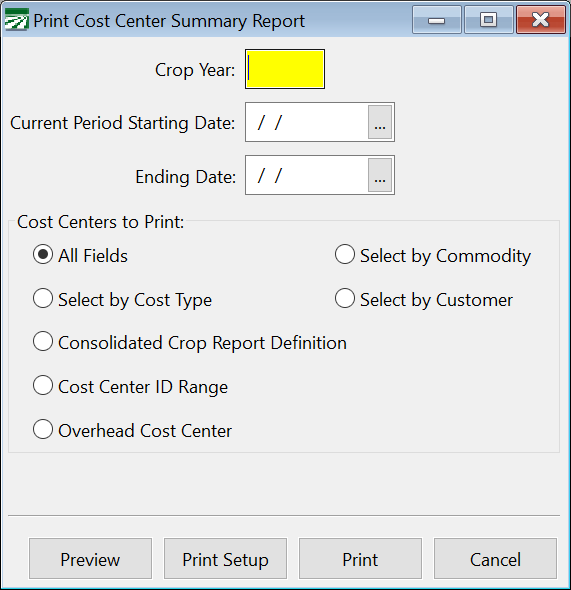
Crop Year
Enter the Crop Year for the report.
Current Period Starting Date / Ending Date
Enter the current period Starting and Ending Dates.
The following options control which Cost Centers will be printed. Each option has specific parameters that can be entered.
All Fields
This option will display everything in the report.
Select by Cost Type
This option will display a certain kind of Cost Center. It adds a Cost Type drop-down menu at the bottom. Select the Cost Center type from this menu.
Consolidated Crop Report Definition
This allows you to select a consolidated crop report that has been set up beforehand. This option adds a Report to Print option at the bottom. Select the report to print using the lookup button (or [F4]) in this box.
Cost Center ID Range
This option selects a range of Cost Center ID’s to print in the report.
Overhead Cost Center
This option allows you to select a particular Overhead Cost Center to print on the report.
Select by Commodity
This option allows you to select a certain commodity for the report. This will only include Cost Centers dealing with the commodity you have selected.
Select by Customer
This option allows you to select a certain customer for the report. This will only include Cost Centers dealing with this customer you have selected.