Convert G/L to WIP
If you have transactions dated after your starting date for converting to the WIP method posted to expense accounts, these transactions should be moved from the various expense accounts to the appropriate Crops in Ground account. A WIP Conversion report has been created to do this. This report can be run in trial or final mode. In trial mode, you can make sure that all of the transactions for WIP cost centers have a matching Job ID. In final mode, it will actually change the Job ID and general ledger account for the transactions listed.
Go to Cost Accounting > Utilities > Convert G/L to WIP.
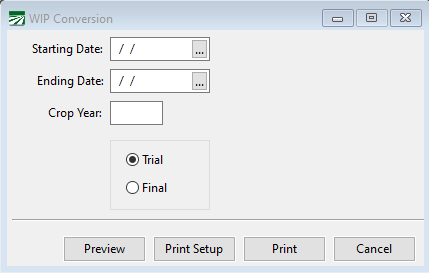
The report looks at the original Job ID used on each transaction, and looks for a new Job ID that starts out the same but has a G/L # that matches the transaction. If a new Job ID cannot be found, the report will not list a new G/L # or Job ID for that transaction. When run in Final mode, if there is no new G/L # and Job ID, no changes will be made to the transaction.
If necessary, this transaction can be run in Final mode multiple times. Once transactions have been converted to WIP accounting (ie. the correct WIP G/L # and/or new Job ID is assigned) transactions will drop off of the report, leaving on transactions that have not been converted. You can make further adjustments to the Job ID setup to convert these transactions.
By deferring expenses, your General Ledger is automatically operating on an accrual basis. When printing financial reports, including the Balance Sheet, Profit or Loss, Trial Balance, and 12 Month Financial Report, you have the option of converting the balances from accrual to cash basis and reporting cash basis balances. This can be useful for tax planning purposes. This conversion is done each time you run a financial report.
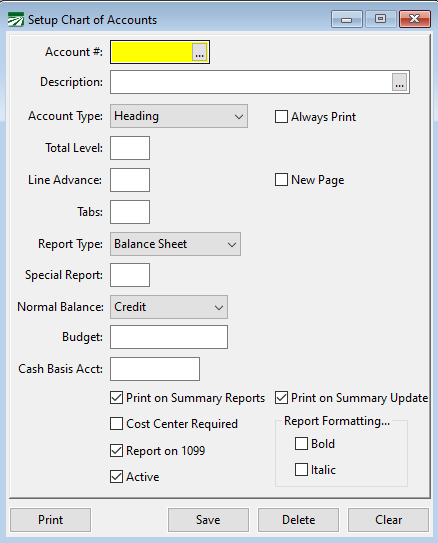
If you have open vendor invoices and customer invoices, these accruals will automatically be reversed based on the report dates and the payment status as of that report date. For WIP accruals however, the program does not currently have a way of backing the accrued expenses off of your Crops in Ground account to the various expense accounts where they would normally have been posted on a cash basis. Currently you must enter a Cash Basis G/L account number for your Crops In Ground account. This should be an expense account where the financial reports will transfer the current Crops in Ground balance when reporting on a cash basis.