Define Custom Financial Reports
Custom financial report definitions must be set up by going to General Ledger > Setup > Define Custom Financial Reports.
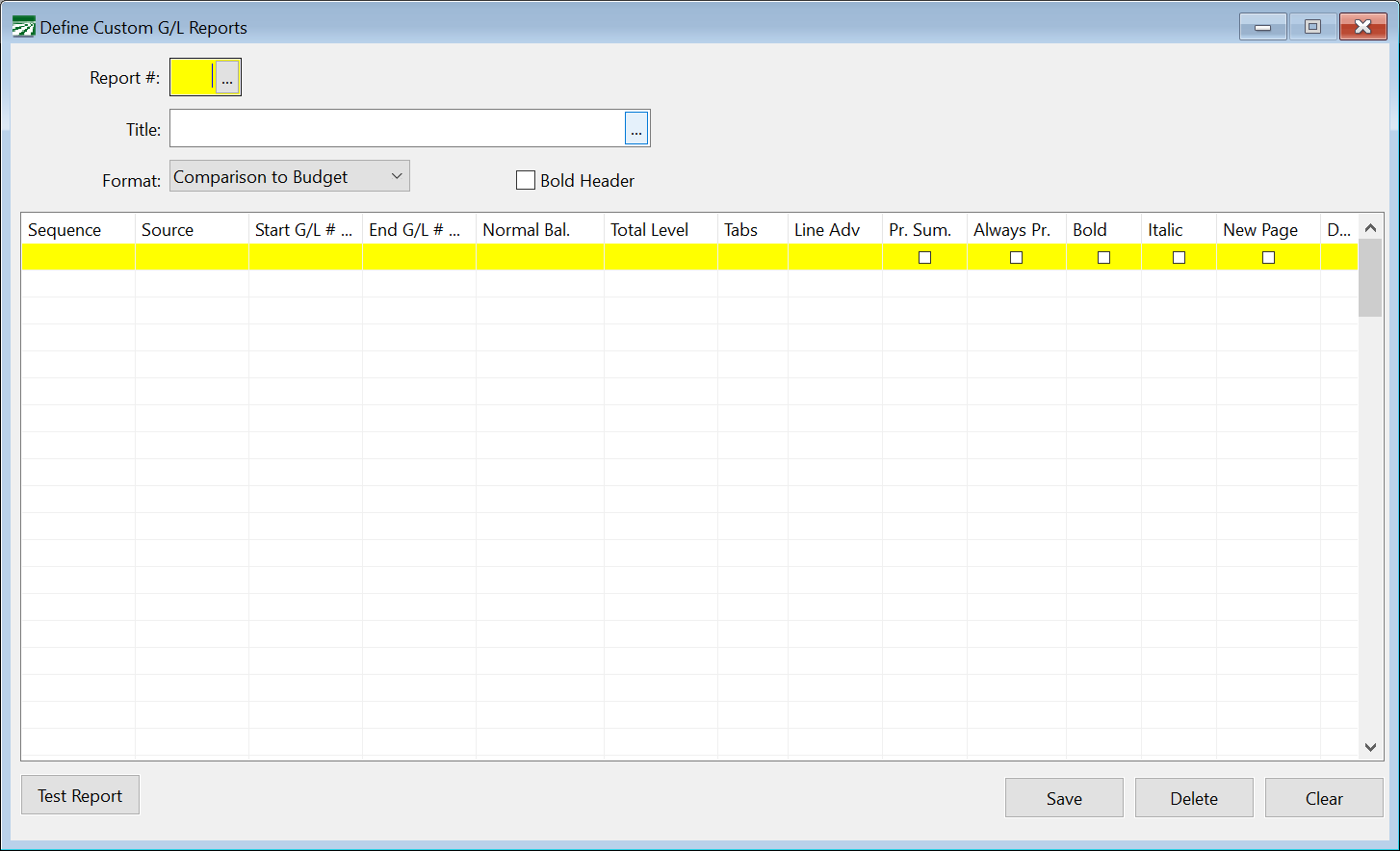
Each custom report that you set up must be assigned a report number, a title, a format, and a list of accounts that are to appear on the report.
When listing the accounts that you want to print on the custom report, you will enter the following information:
Sequence
This column controls the order that the accounts are printed in.
Source
Select what you want printed on the report for this line. Options include Title, Heading, Total, and G/L Account.
The Title, Heading and Total types allow you to insert an account of that type in the report without having to have an actual account set up in your chart of accounts.
The G/L Account option will print a range of accounts from your chart of accounts based on the Start G/L and End G/L entries. That range could include accounts of any time (Title, Heading, Posting, and Total).
Start G/L, End G/L
When using the G/L Account option as the source, indicate the first and last account numbers that you want to print from the chart of accounts here.
Normal Balance, Total Level, Tabs, Line Adv, Pr. Sum.
When using the G/L Accounts option for the source, these entries will override the corresponding settings on your chart of accounts.
If the source is set to Title, Heading or Total, these entries are required for the report to correctly format the report.
Description
When using the Title, Heading or Total option as the source, enter the description that you want to appear on the report for this entry. If you are using the G/L Account option for the source, and you specify a single account for the Start G/L and End G/L, the description that you enter in this column will override the description from the Chart of Accounts.
Custom Financial Report Examples
In this example, each line in the custom report statement prints a single general ledger account:
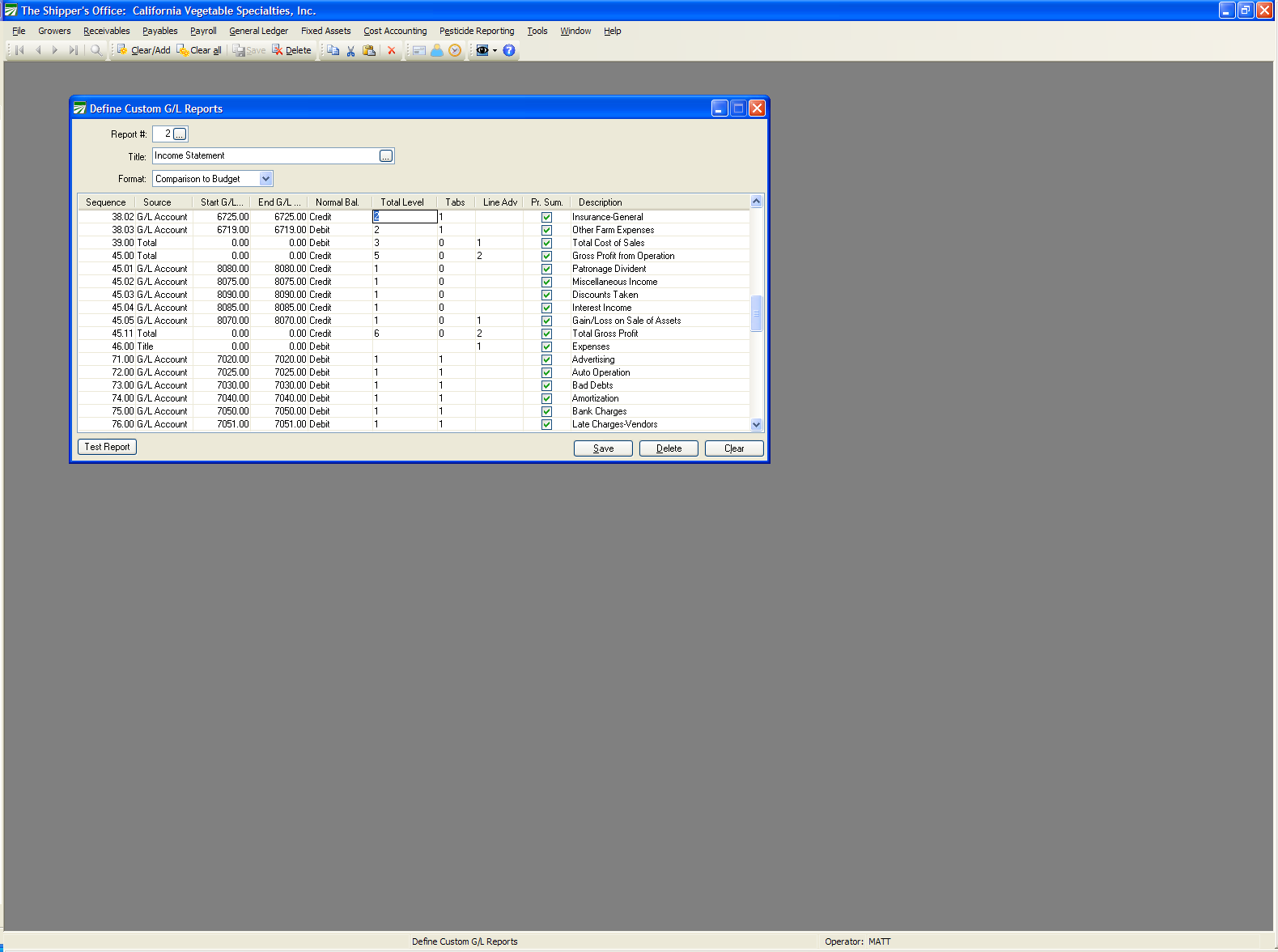
Partway through this report definition, you can see that accounts are printing out of order. A group of accounts from the 6000’s is printed, then two subtotals are printed, followed by a section that includes accounts from the 8000’s which is also subtotaled. Then a new section is started with the Expenses title and accounts from the 7000’s are printed.
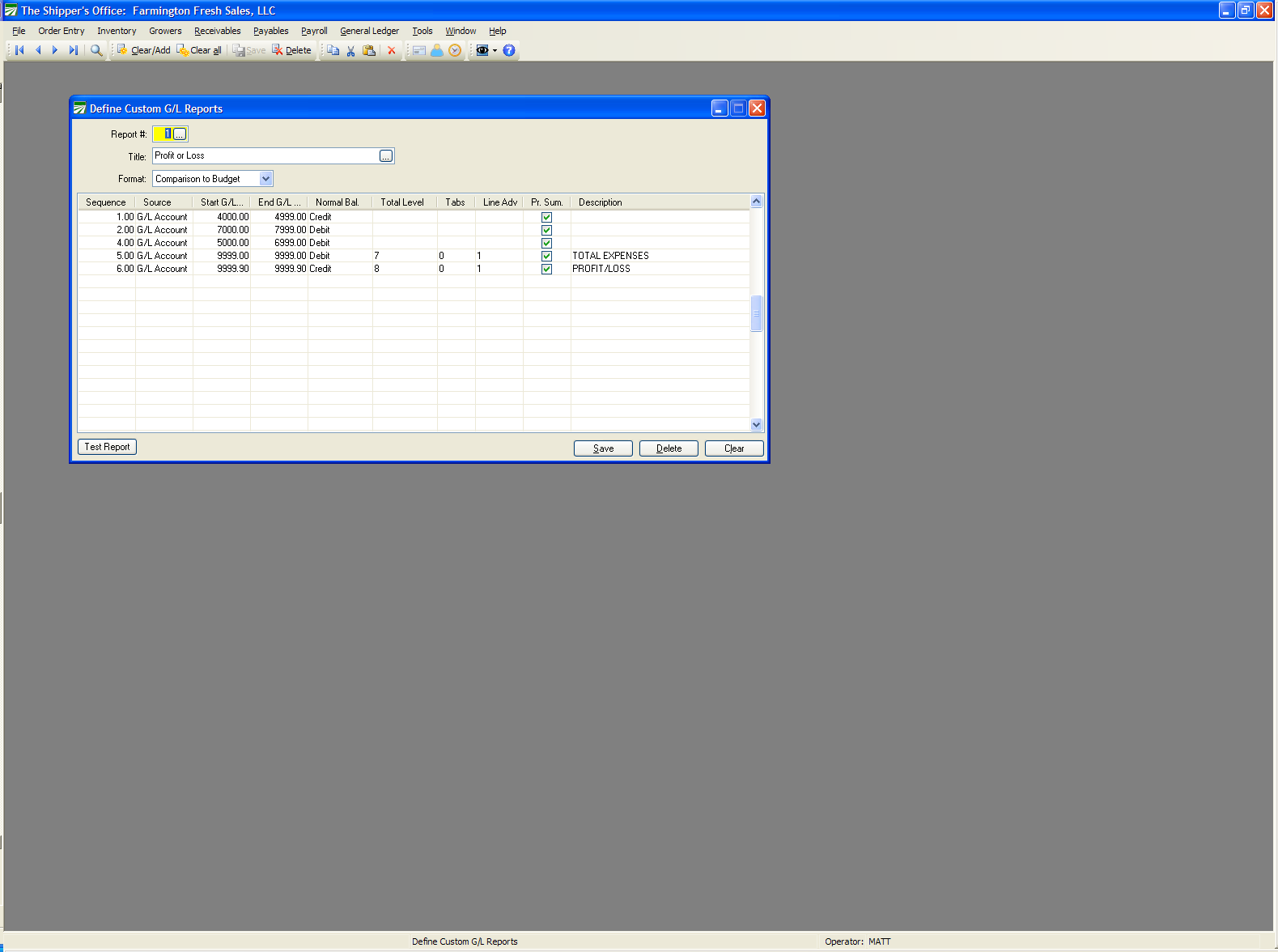
In the following example, the report is set up to simply print blocks of accounts (including all of the heading, title and total accounts that are included in the account range) in the order desired, then print the “Total Expenses” and “Profit/Loss” accounts at the end: