Update Line Item Options
There are multiple options available for generating the lines items for the invoices created in Accounts Receivable. Below are explanations and examples of what each option does.
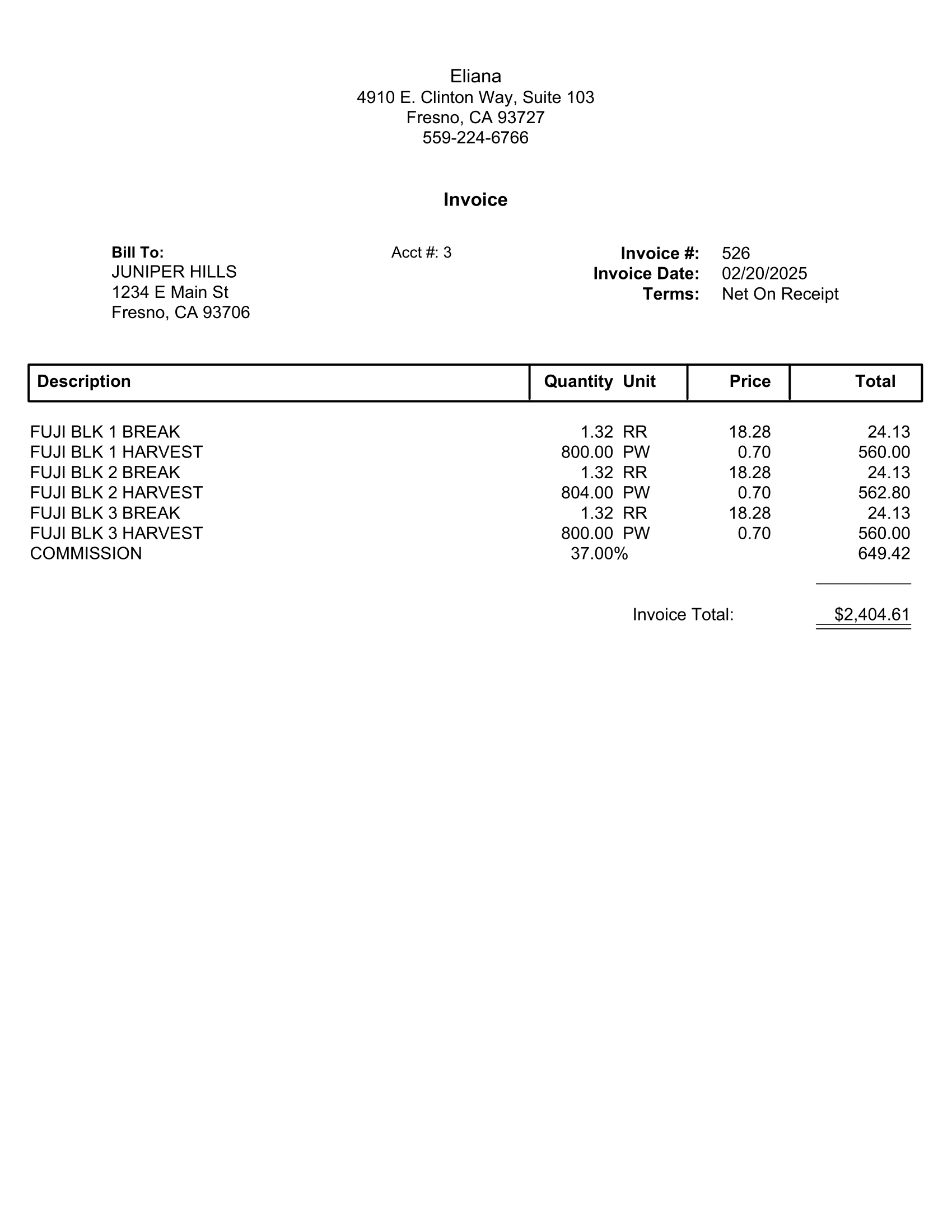
General Invoice: Creates a single line item for each job/crop/wage type/rate combination. These line items mirror those listed on the grower invoice printed by the labor reports program. Invoices generated with this type must be edited in the general invoicing window.
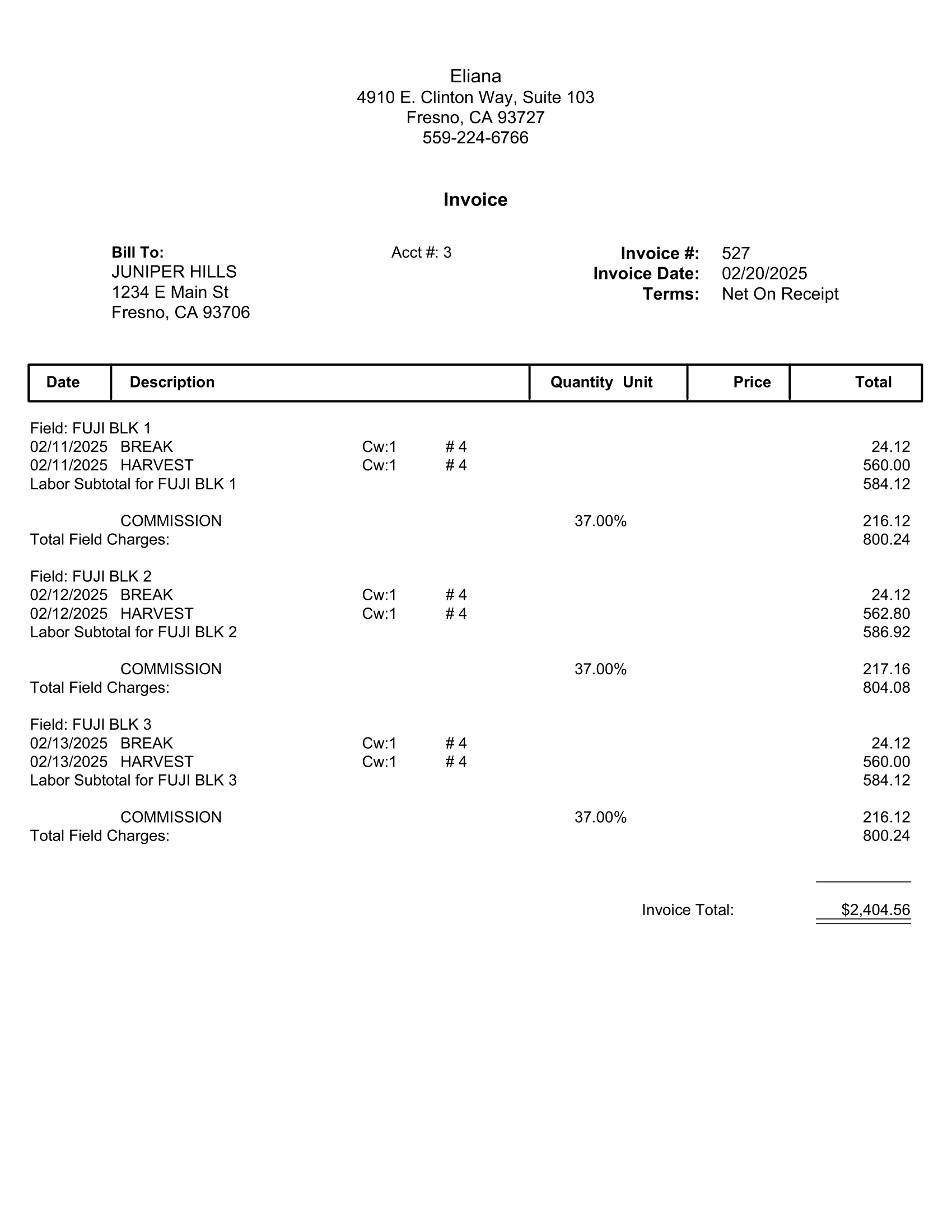
General Invoice/Crop, Date: Creates invoices that itemize labor for each crop/day/crew/job/wage type/rate combination. This produces a more detailed invoice than the General Invoice option.
When this option is used in combination with the One Invoice option for the # of Invoices entry, the labor for each Crop ID will be listed on the invoice along with the overhead charges and a subtotal is printed for the total charges for each Crop ID.
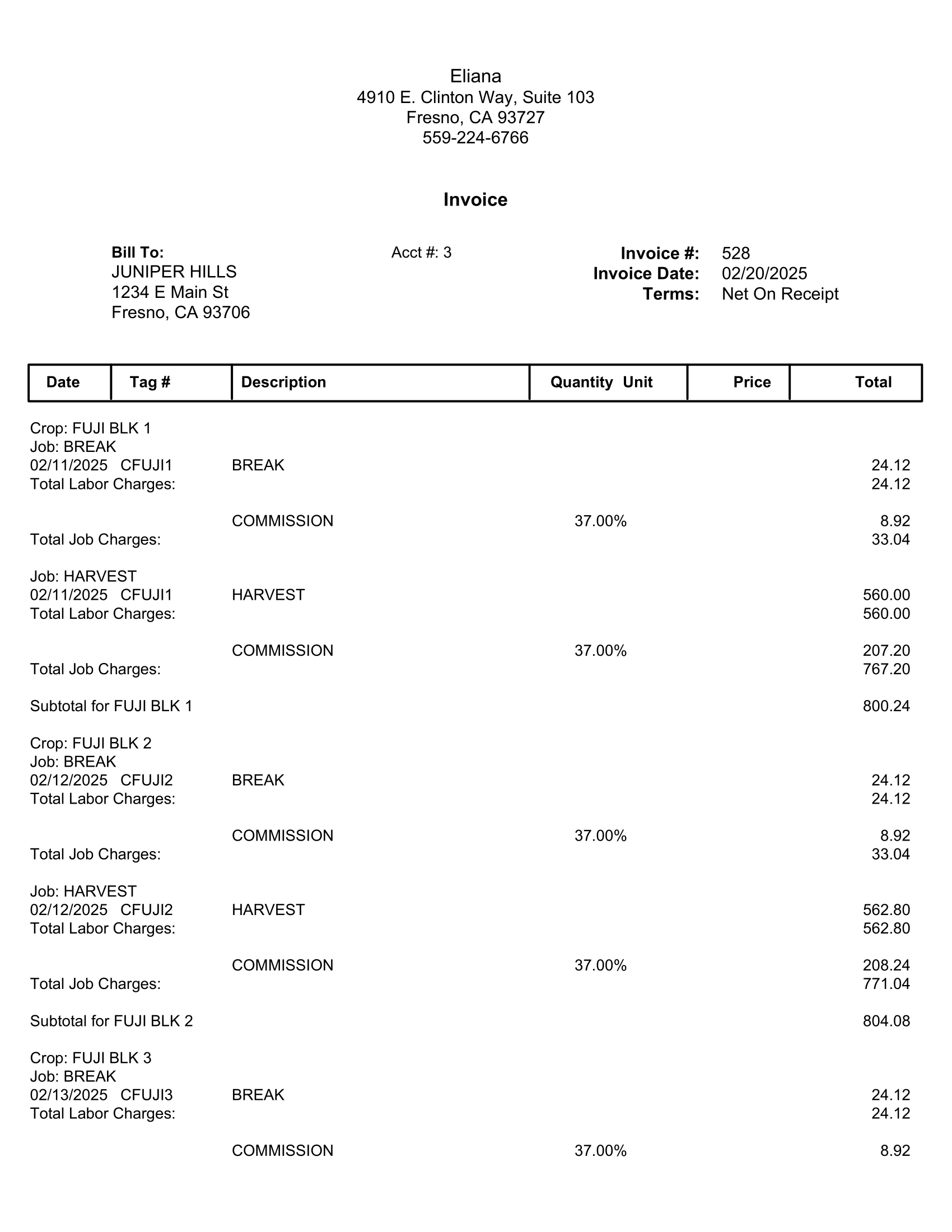
General Invoice/Crop, Job: Generates an invoice for the grower with labor grouped by Crop ID. Within each Crop ID, labor is further grouped and subtotaled by Job ID. Commission (and taxes, if applicable) can be calculated either by Job ID or by Crop ID. This is determined by the Bill Commission For Each Job check box that will be enabled when General Invoice/Crop, Job is selected.
General Invoice/Crop, Job, Date, Crew: Generates an invoice with labor grouped by Job, Crop, and Date, with subtotals for both Crop and Job. This option also includes crew information and the number of employees per job, making it similar to the Crop, Job option, but with additional details.
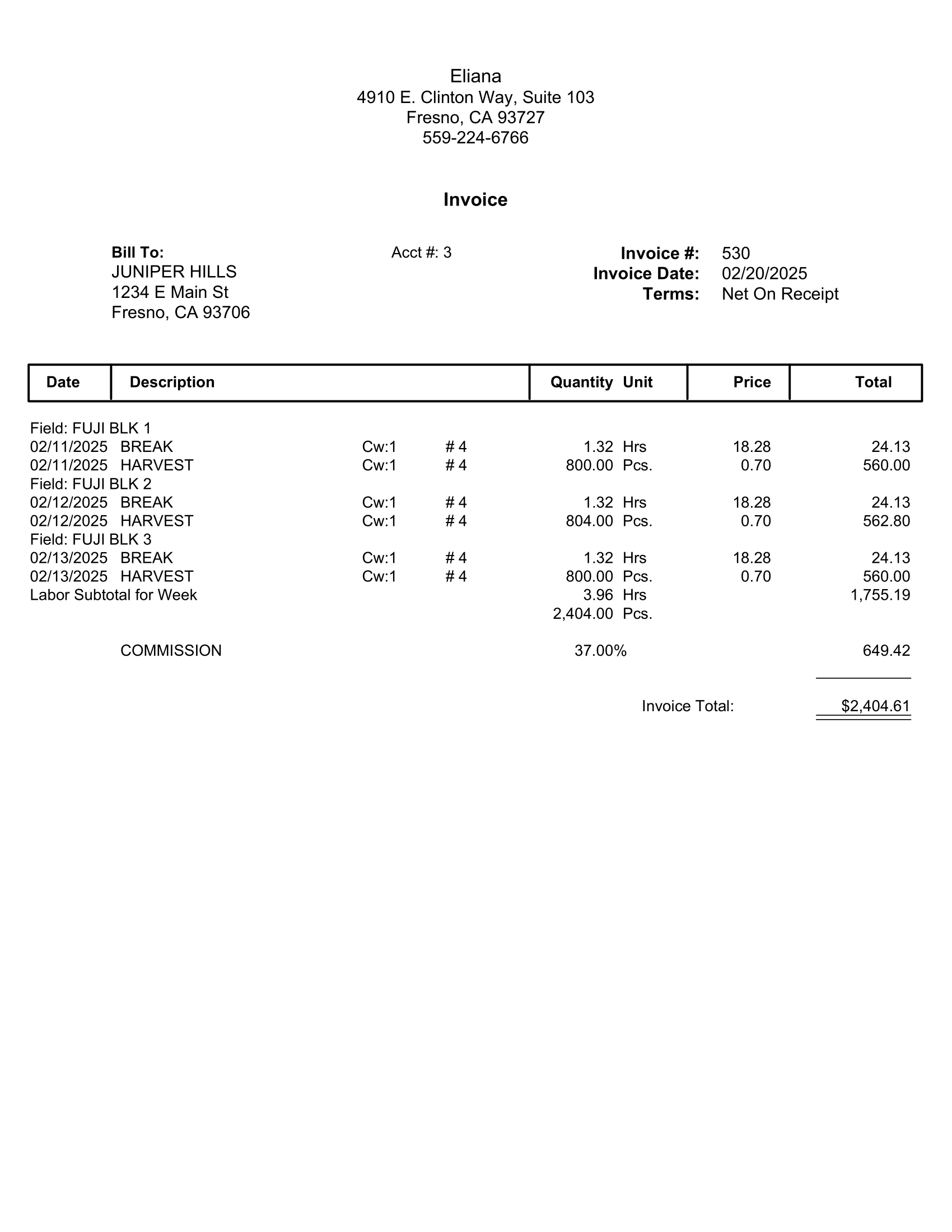
General Invoice/Date (Week Subtotal), Crop: Prints labor billing details in date order. If multiple Crop IDs are included, each day’s entries are printed in Crop ID order. There are no subtotals by Date or Crop ID, but a single labor subtotal is printed at the end of the invoice, followed by overhead charges (commission, insurance, taxes).
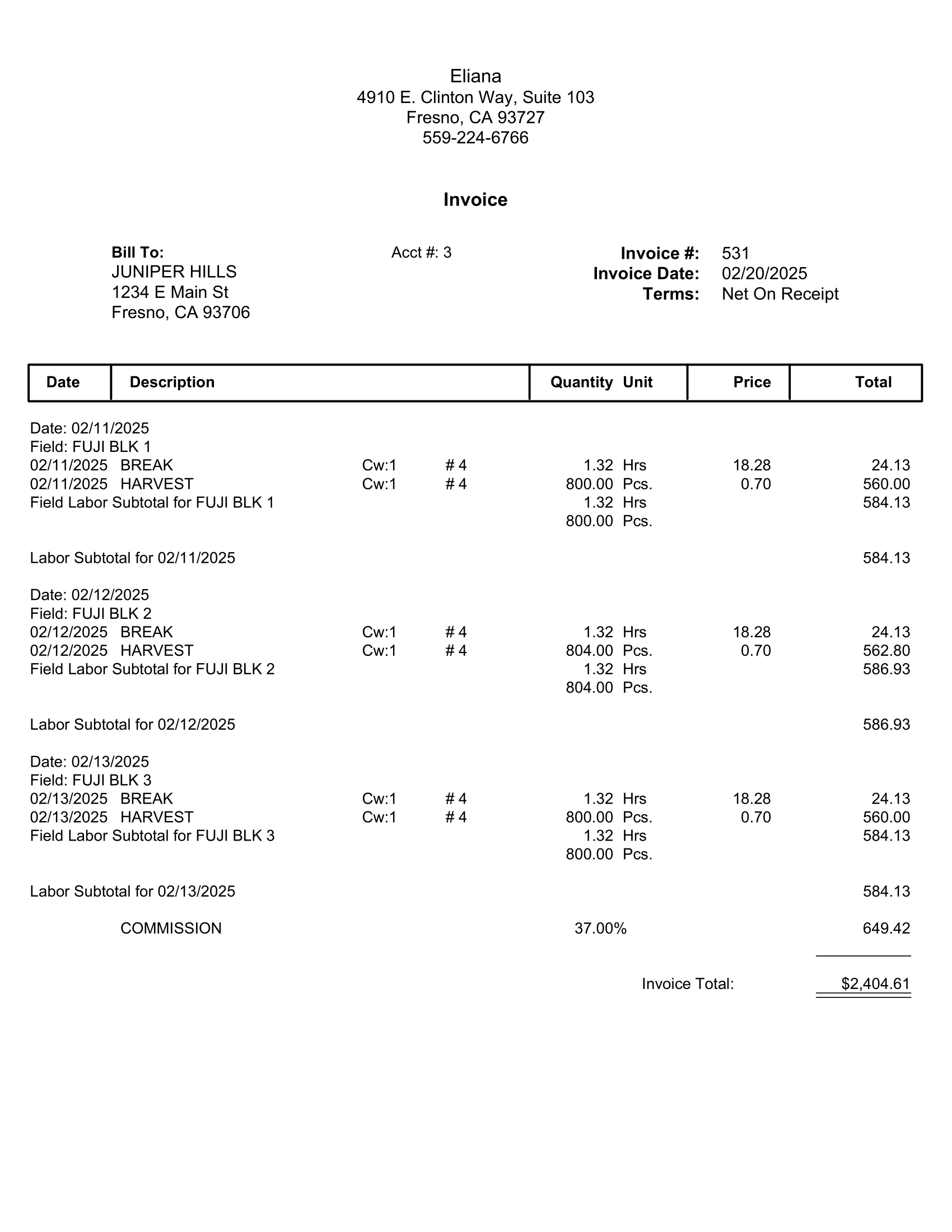
General Invoice/Date, Crop: Adds a new line item for each date and crop. These are subtotaled by day.
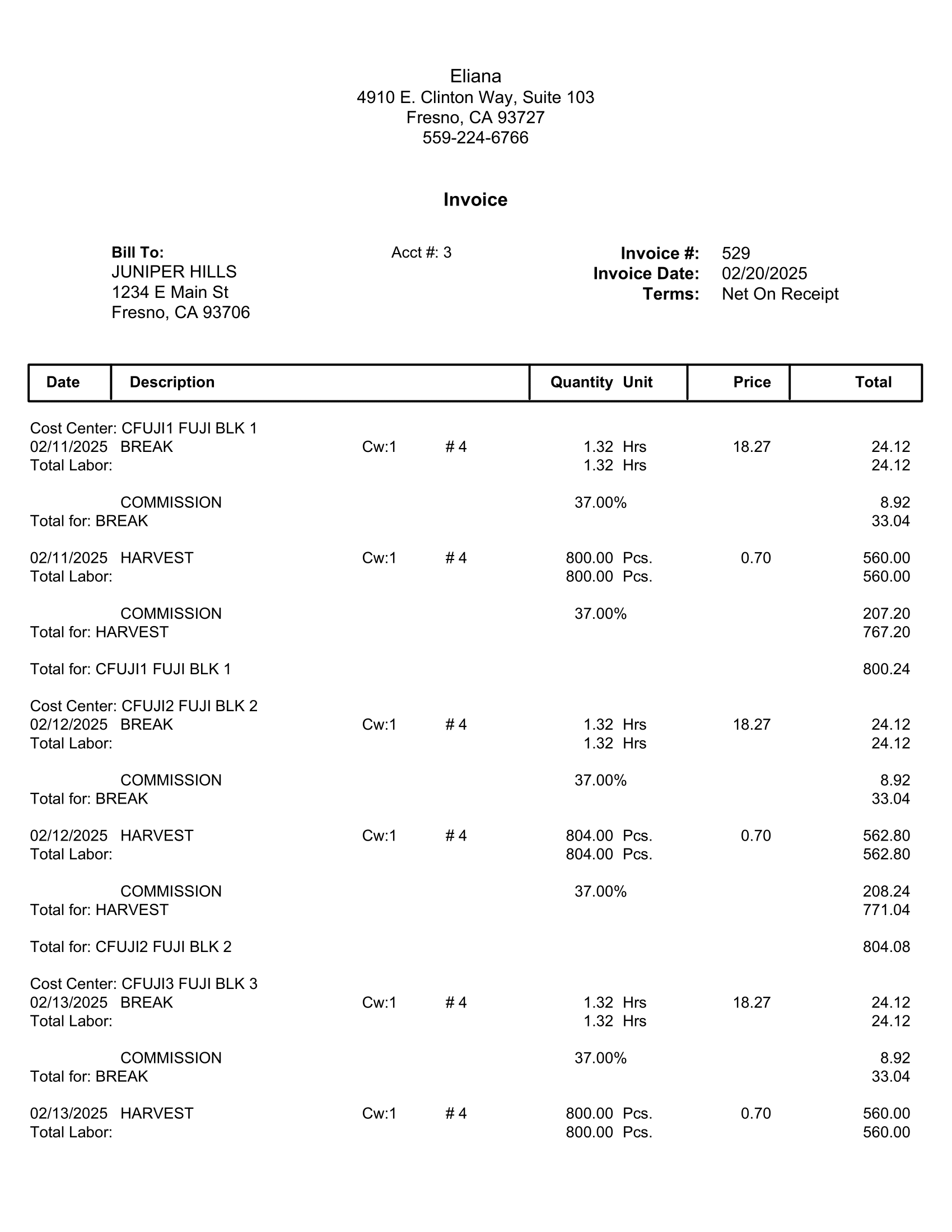
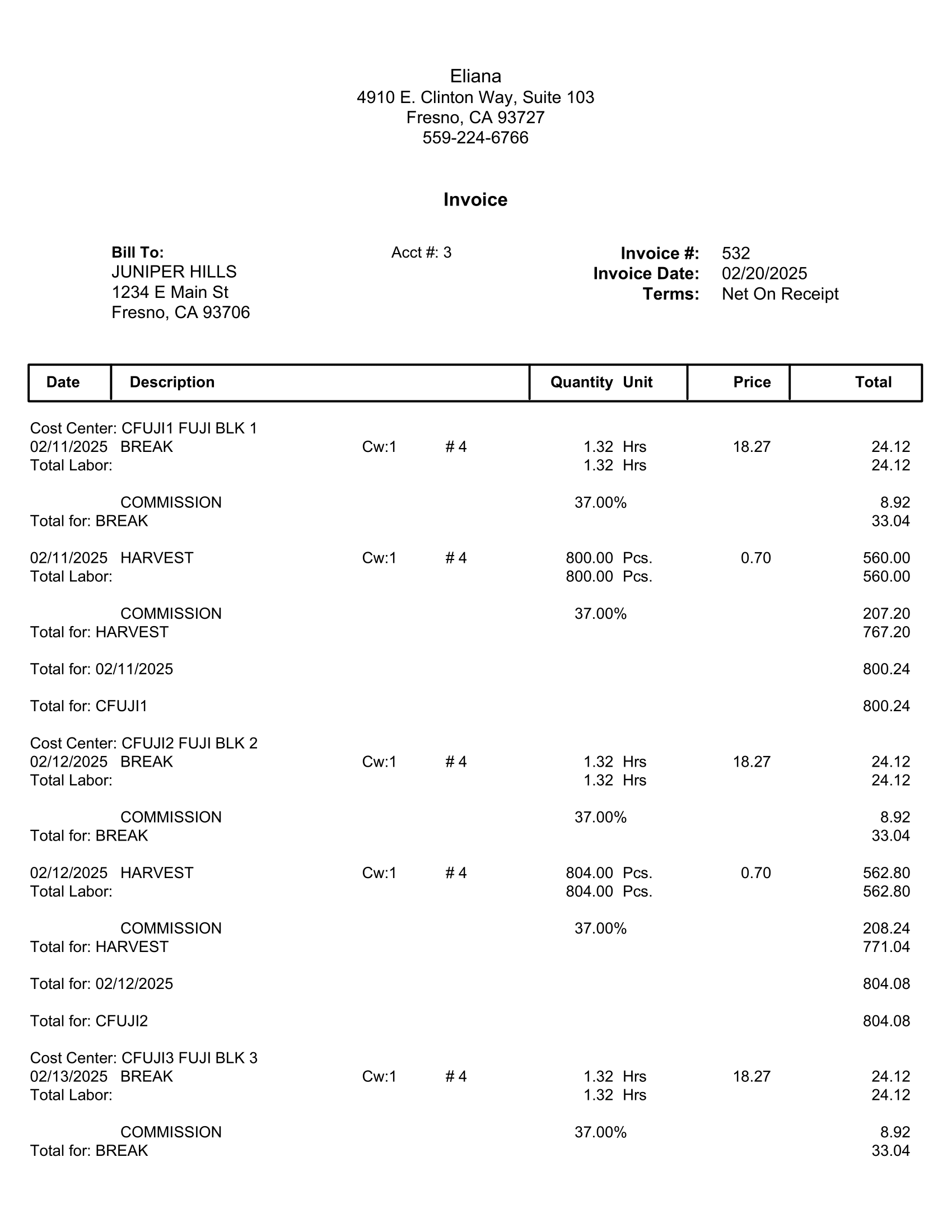
General Invoice/Date, Job: Creates an invoice with labor details listed by Cost Center, Crop ID, Date, Job, and Crew #, with subtotals by Crop, Date, and Job. Overhead charges (commission, insurance, taxes) are applied after the subtotal for each job.
General Invoice/Employee: Generates an additional report, the Health Insurance Billing Hours report, for each invoice posted to A/R. The invoice number will be listed at the top of the report. A PDF copy of the report will be saved automatically.
The report will list each employee that worked, their health insurance status, and the number of hours worked by pay type (regular, overtime, double-time, piecework, overtime premium, double-time premium) and the number of billable hours for each employee with totals at the bottom.
This report may be helpful in verifying that the correct amount of hours is billed for ACA insurance.
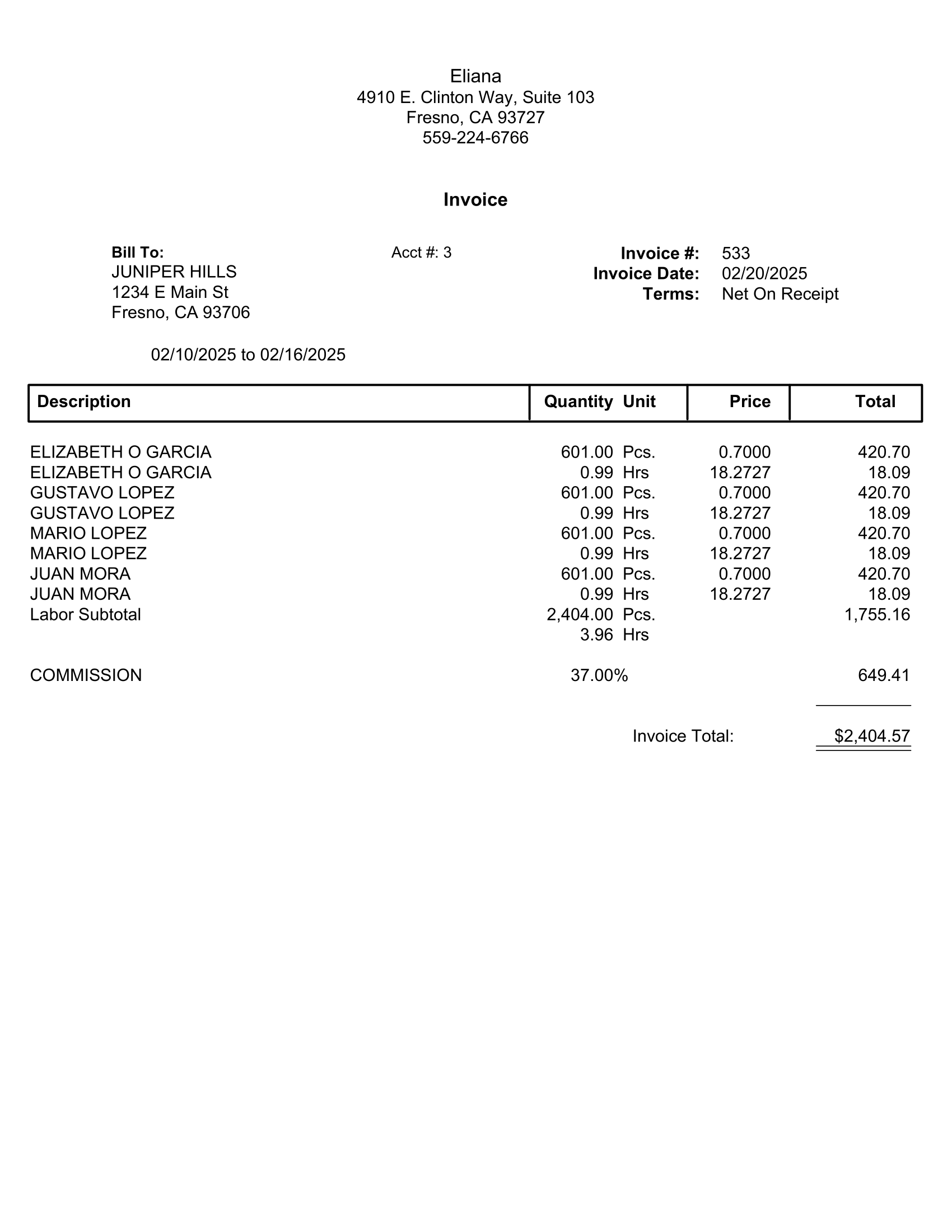
General Invoice/Job: Groups labor by Job, with subtotals for each Job, followed by the commission.
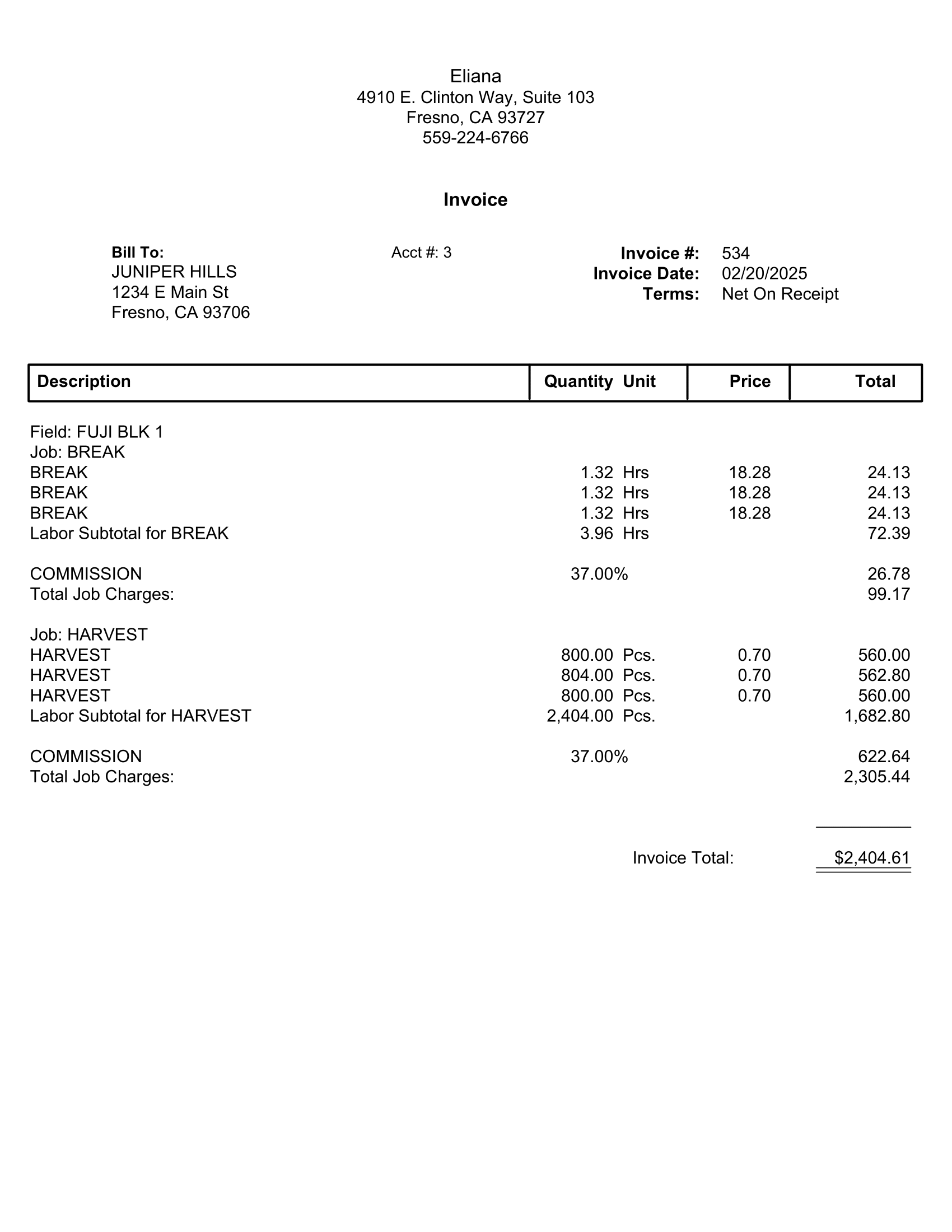
General Invoice/Job, Date: Creates invoices that itemize labor for each job/date/crop/crew/wage type/rate combination. This option may only be used with the One Invoice setting on the # of Invoices entry. A subtotal will be printed for each Job Code used for the grower. The total overhead charges will be billed out at the end of the invoice. This setting also produces a more detailed invoice than the General Invoice option.
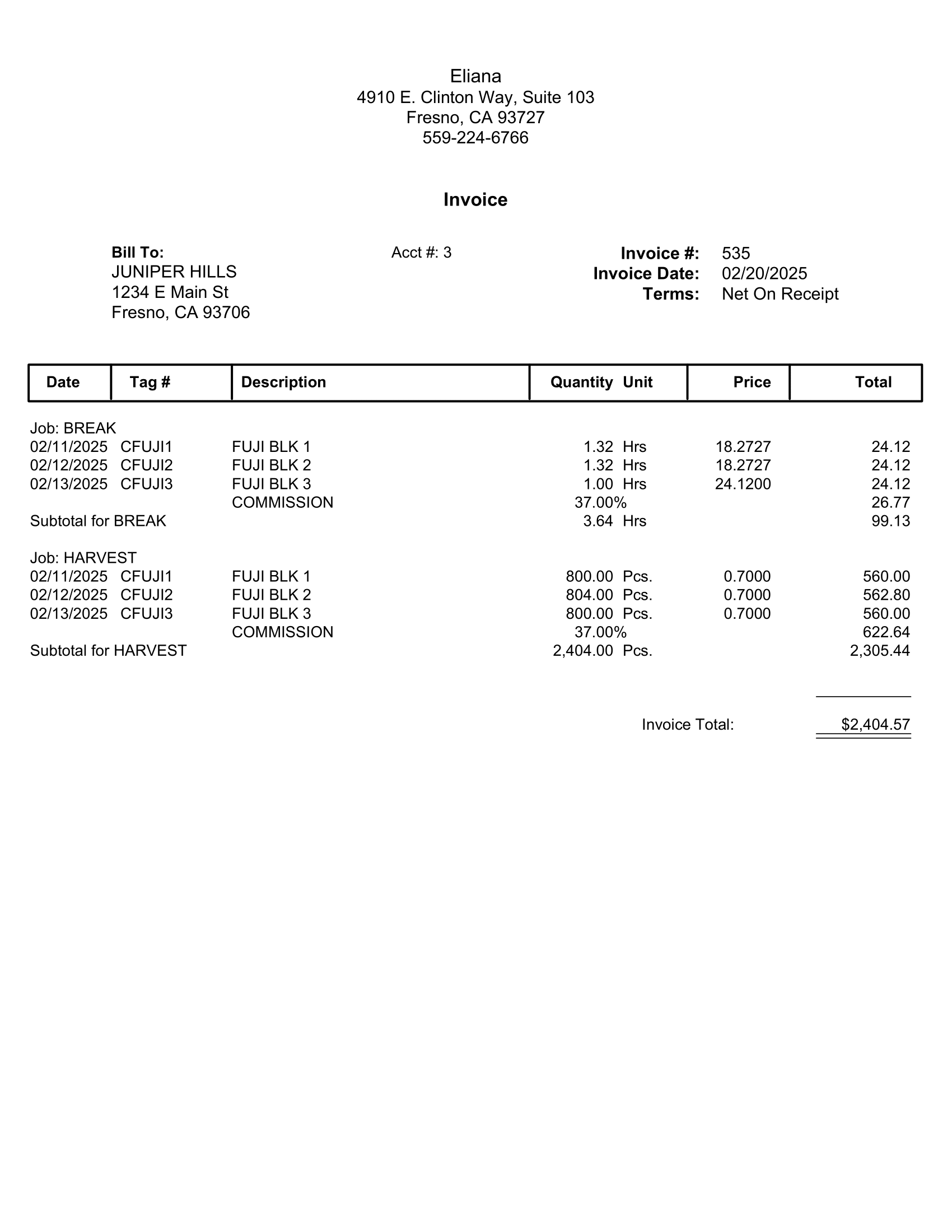
General Invoice/Job, Employee: Lists totals by Employee/Wage Type/Rate, grouped and subtotaled by Job Code.
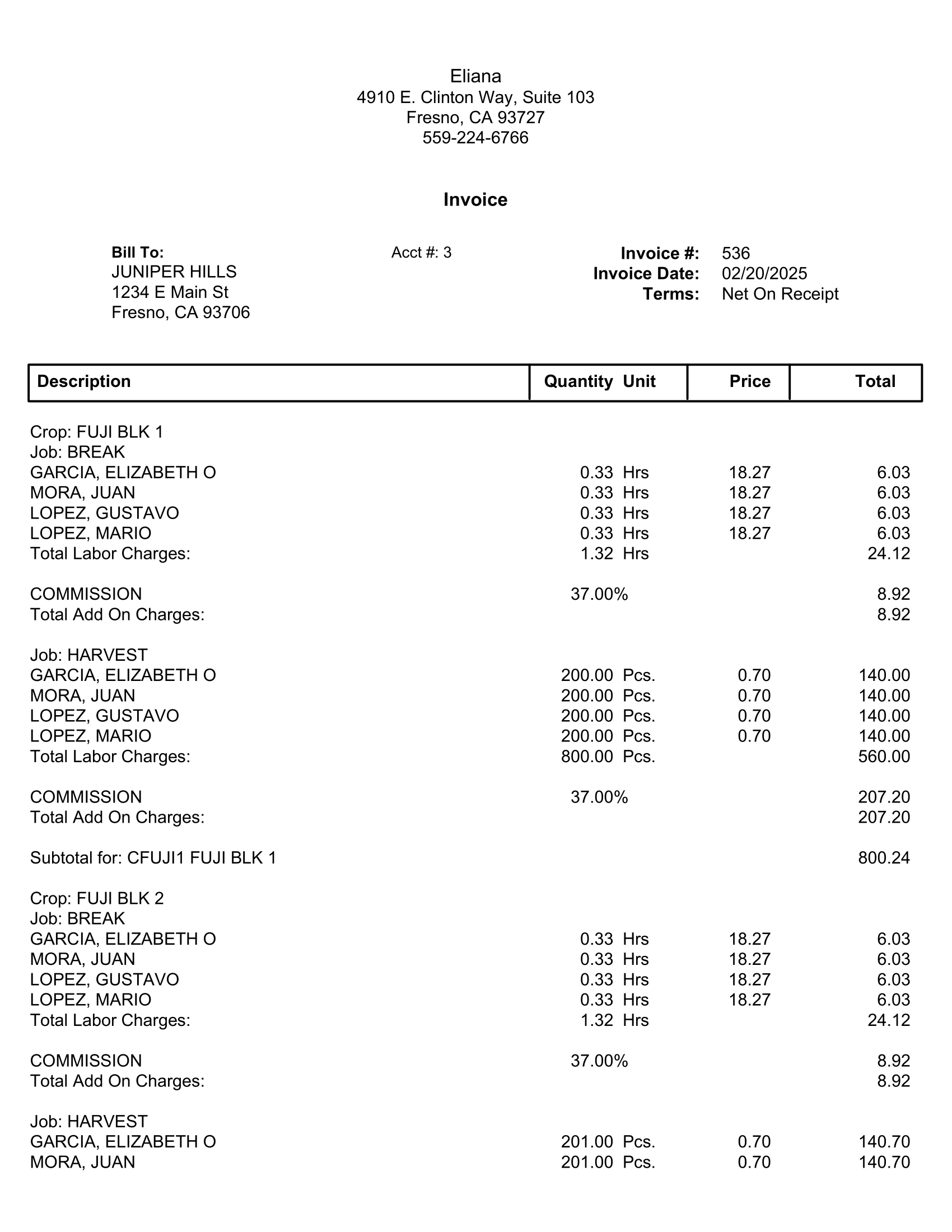
General Invoice/Memo
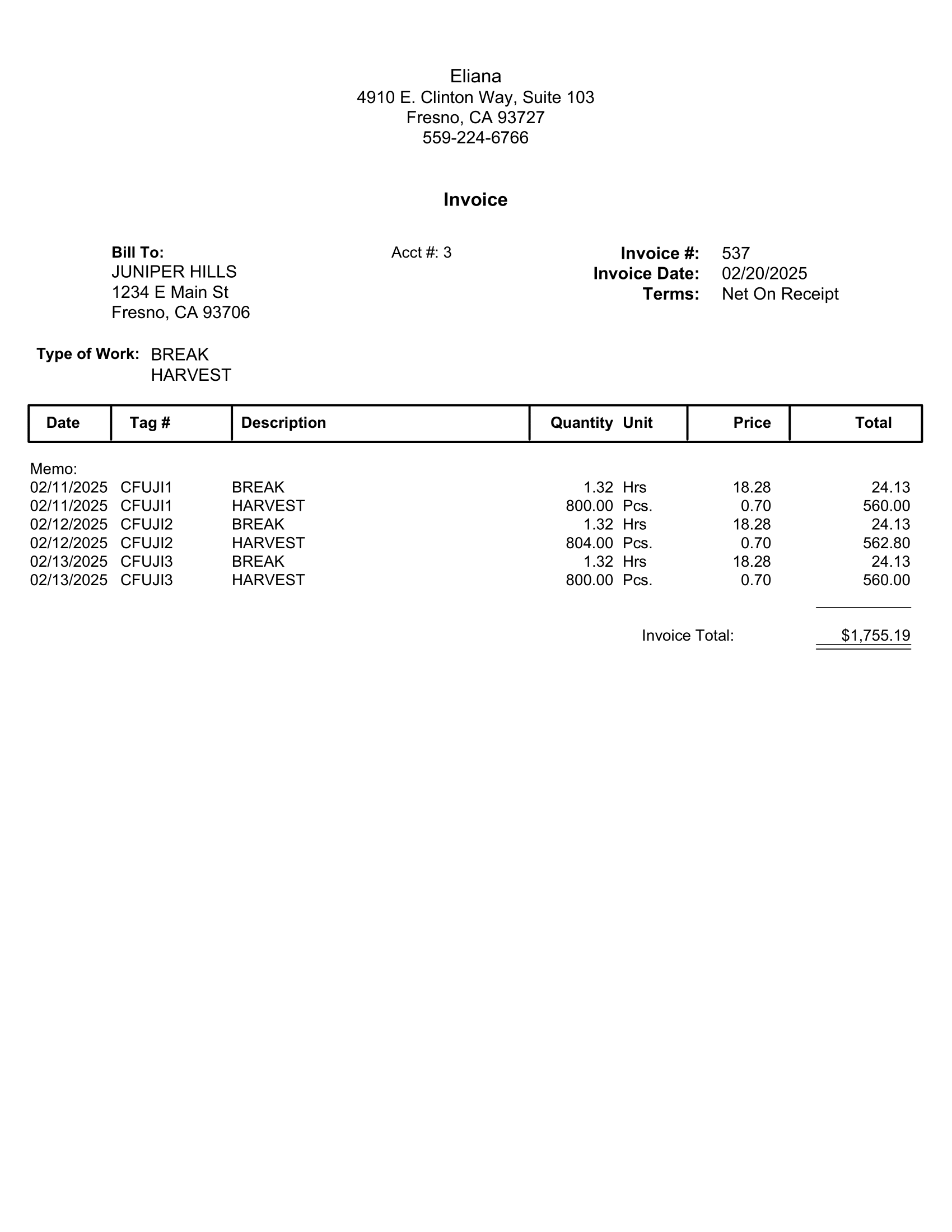
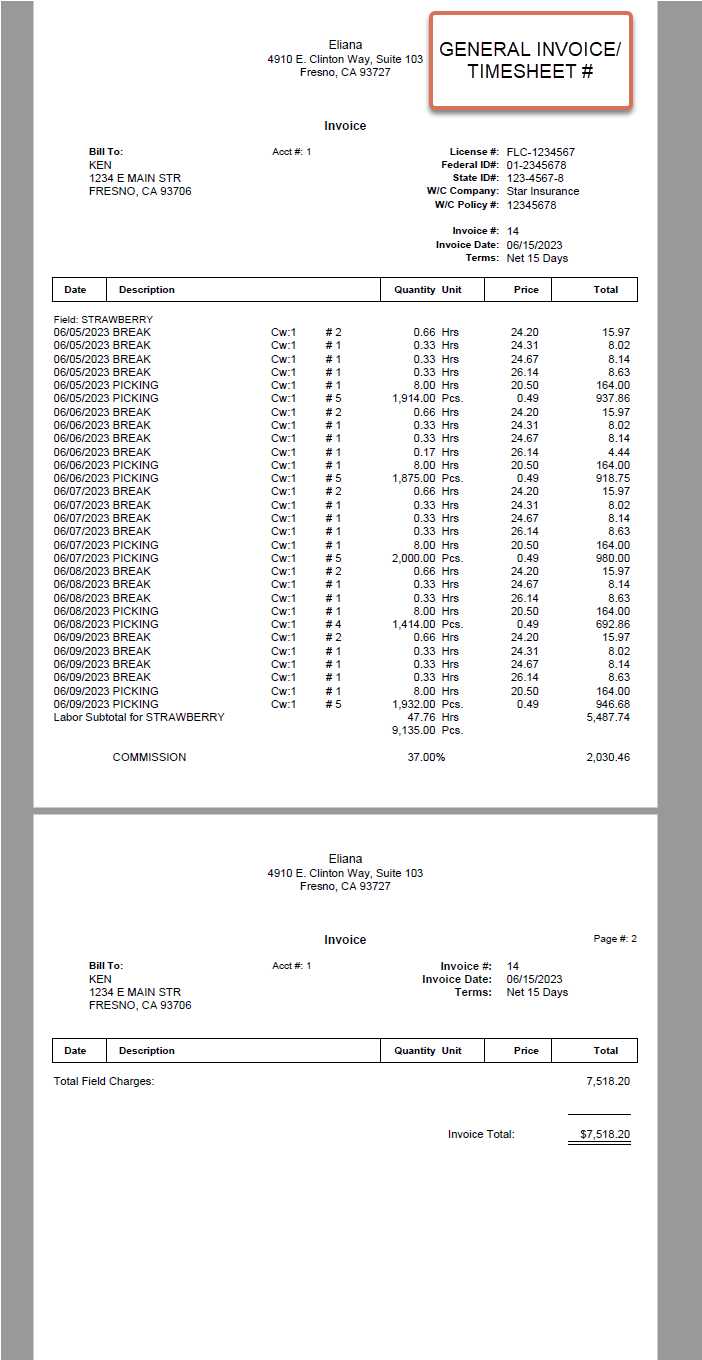
General Invoice/Timesheet #: Creates a new invoice for each time sheet. This requires using the One Invoice per Time Sheet setting in the number of invoices entry.
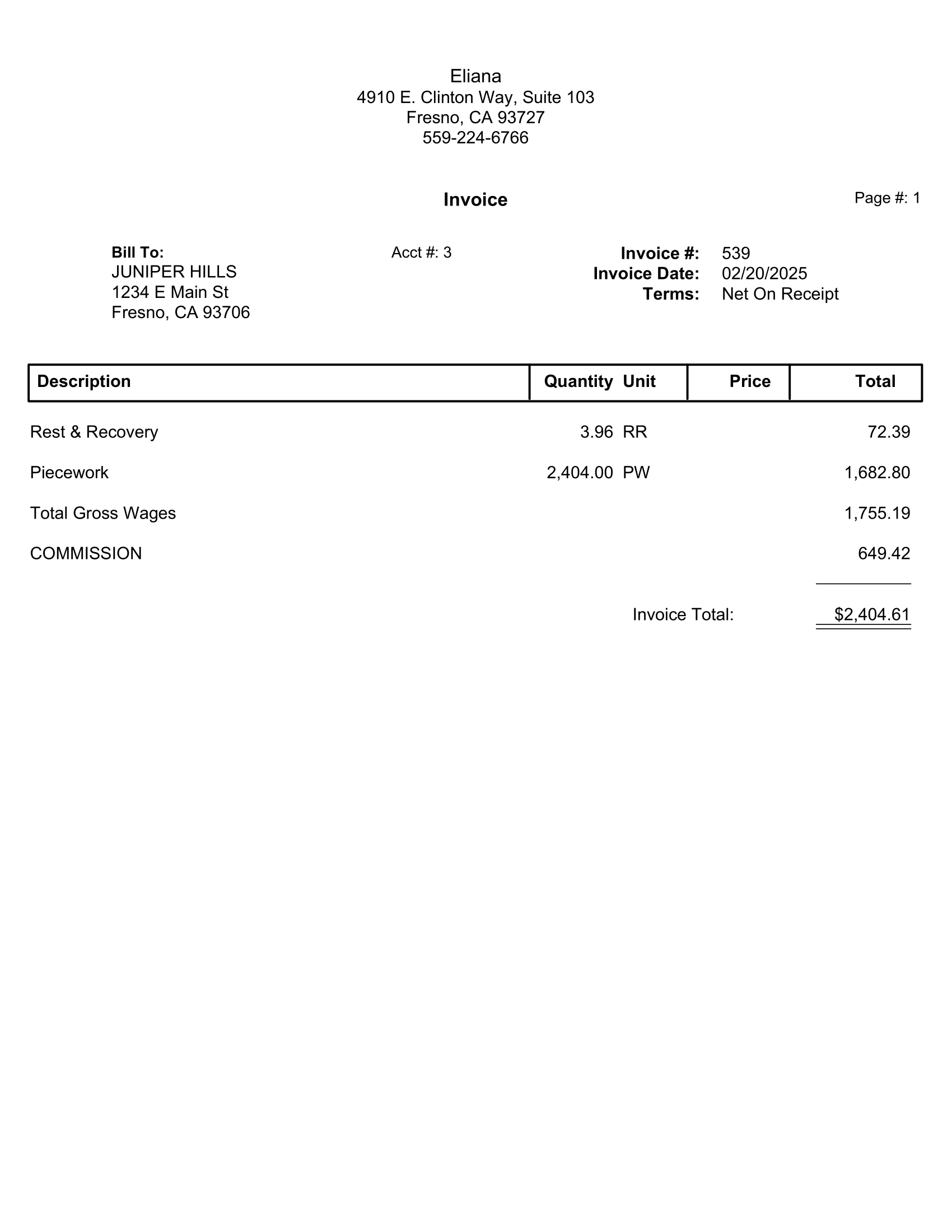
General Invoice/Wage Type
This option will create an invoice that prints a single line item for each wage type used to bill the labor, followed by lines to bill for commission, taxes, and worker’s comp insurance based on the settings on the grower account.
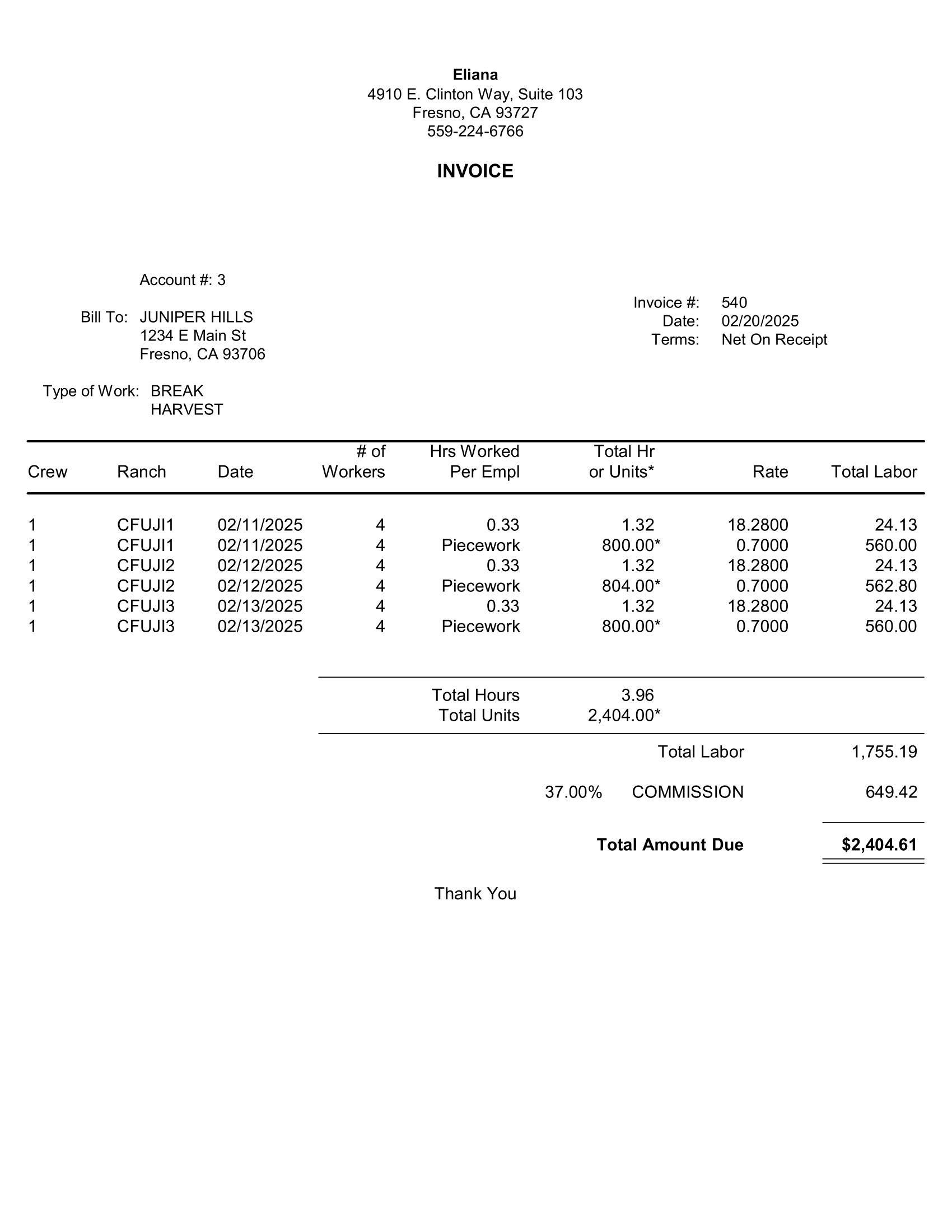
Labor Contractor Invoice
This option is similar to the General Invoice/By Date option in that it itemizes the labor by day/job/crop/wage type and rate. The invoices that are created using this option must be viewed and printed from the Labor Contractor Invoice Entry window, instead of the Generic Invoice Entry window.
Summary
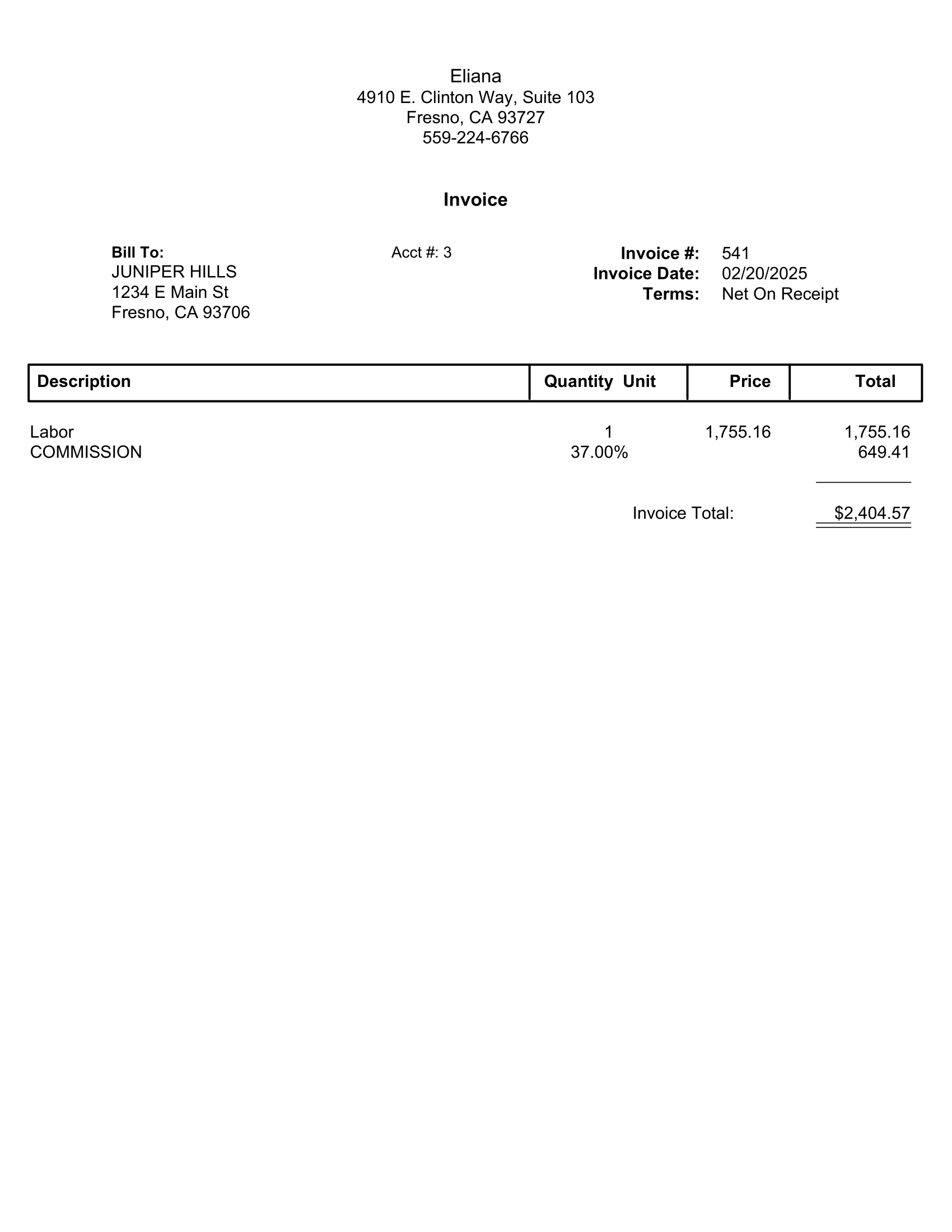
This will create a single line item to bill the total labor and one line for each overhead item that is billed (e.g. commission, payroll taxes and worker’s comp). This is the minimum necessary to transmit the income information to the Accounts Receivable system.