How to Pay Overtime on Non-Exempt Salary
Paying Overtime on Non-Exempt Salary
To comply with federal law, salary employees who do not meet the requirements for exemption status must be paid overtime. In such cases, overtime wages are based on regular hours and the salary amount. The overtime rate is calculated by multiplying the regular rate of pay by 1.5.
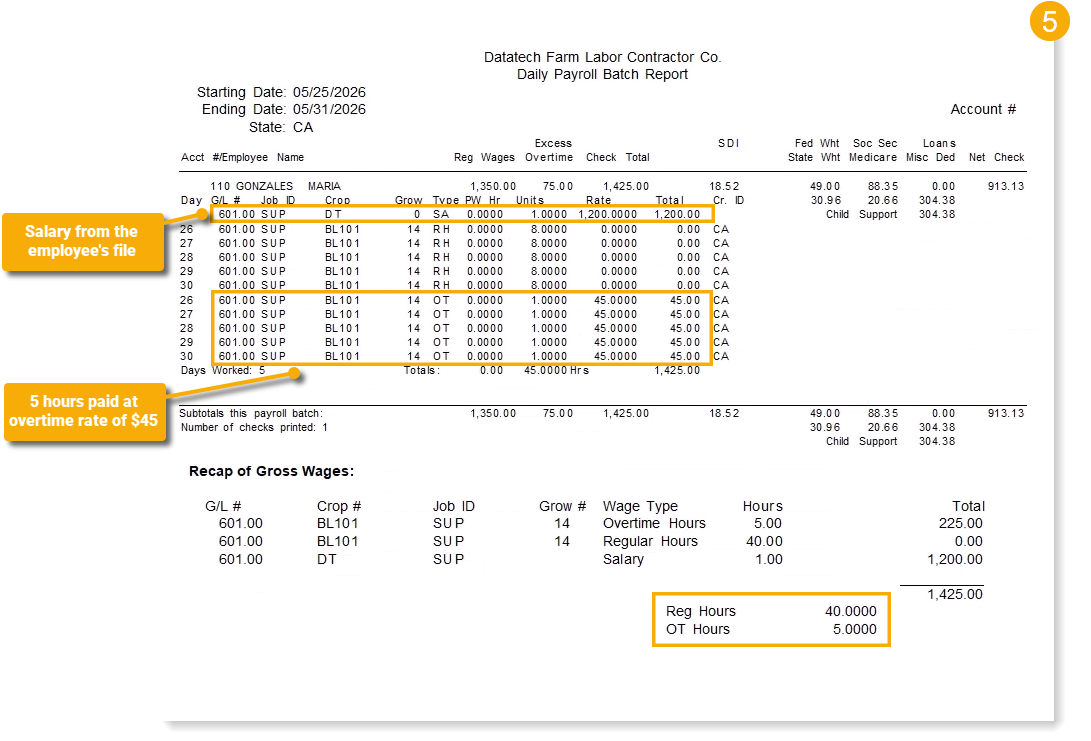
The following example demonstrates how overtime is paid when the employee's salary information has been entered in their employee file. Since the employee is in California, overtime rules are applied on a daily basis.
Example A non-exempt salary employee is paid $1200 per workweek based on 40 regular hours. She worked 5 hours of overtime.
-
$1200 ÷ 40 hours = $30 (regular rate of pay)
-
$30 x 1.5 = $45 (overtime rate)
-
5 hours of overtime @ $45/hour = $225 (overtime earnings)
-
$1200 + $225 = $1425 (total weekly earnings)
-
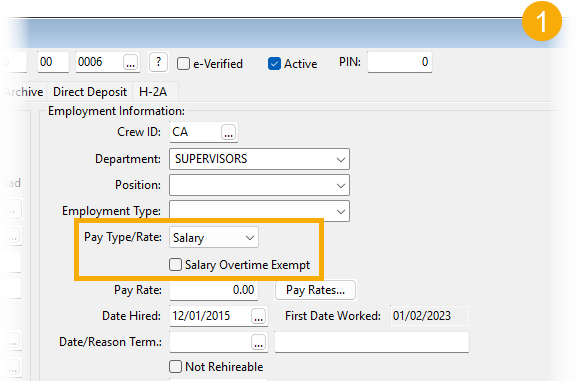
In the employee file, make sure the Pay Type/Rate entry is set to Salary and the Salary Overtime Exempt checkbox is not selected.
-
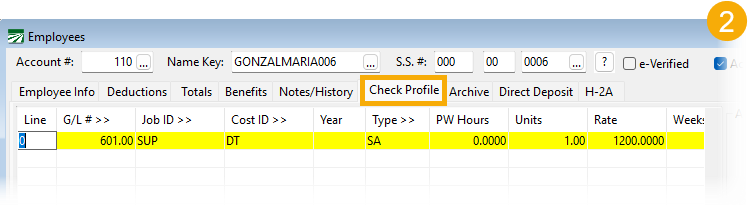
While still in the employee file, click on the Check Profile tab and enter a line showing what the employee is paid for a 40 hour workweek.
-
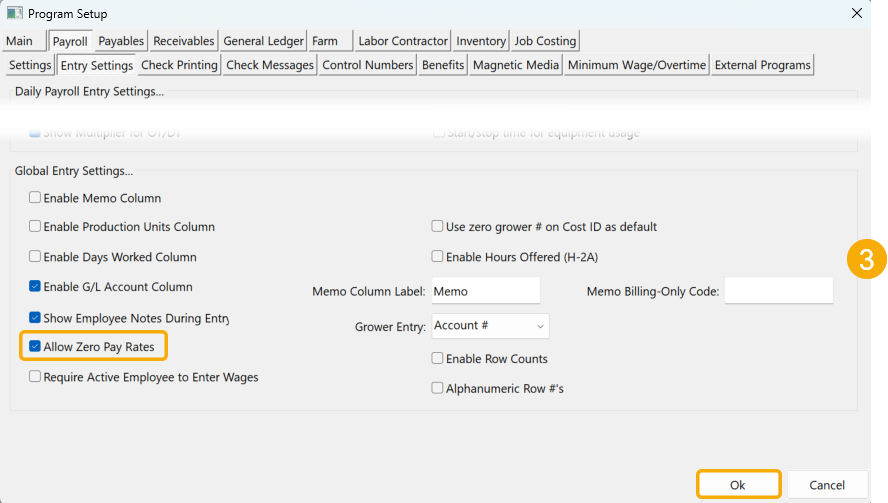
With this method of paying overtime on a non-exempt salary, you need to enter a zero payrate while in Daily Payroll Entry. To enable this option, go to Tools > Program Setup > Payroll > Entry Settings. Under Global Entry Settings, select the Allow Zero Pay Rates checkbox. Then click Ok.
-
Make your entries In Daily Payroll Entry using RH (regular hours) as the wage type. Under the Units column, 9 has been entered because the employee worked 1 hour of overtime each day. Enter 0 as the payrate.

-
When the Daily Batch Report is run, the program will subtract the overtime hours worked each day and pay it at the overtime rate of $45.
In states where there are no daily rules for paying overtime (e.g. Washignton), overtime hours can be included in the same line as the salary (if you are entering this manually).
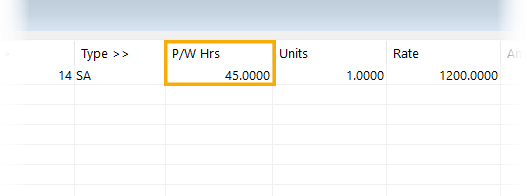
The program will still subtract the overtime hours worked and pay them at the appropriate overtime rate.
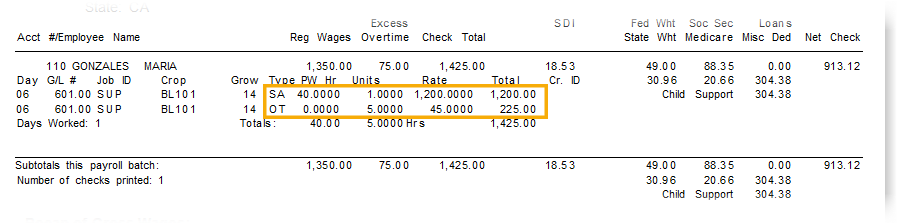
Note At this time, the program does not pro-rate overtime on salary wages.
Methods of Entering and Paying Salary
Employee File: After entering hours in Daily Payroll, the Batch Report will pick up what has been selected for the Pay Type/Rate entry in the employee file. In this method, the hours are entered with a $0 rate.
Data Collection Import: If you are importing hours from data collection exports, rates get applied to the hours. Therefore, an offset is needed so that wages are not duplicated. This can be defined in your import configuration.
Manual Entry: Salary can be entered manually in Daily Payroll or Check Entry. If you use the Check Entry method, you must manually add any overtime.