Upload DE 9 & DE 9C to EDD e-Services
Uploading to the EDD
Transmitir informes trimestrales al EDD
Using the link, go to EDD’s website and click e-Services for Business. https://eddservices.edd.ca.gov/

You must be registered for new e-services. If you have not enrolled or re-enrolled since March 1, 2011, click on e-Services for Business Login and enroll for a new username and password.
If you are already registered, enter your username and password and click Login.

On the main account page, click on the Attach a Return File link under the “I Want To…” heading on the right.

This will take you to the Attach a Return File page where you can attach both of the files (DE-9 and DE-9C) required for quarterly reporting.

Click on the Attach File link, and the “Select a file to attach” window will open:

On the “Select a File to Attach” window, use the drop down menu to select the File Type. For the DE-9C choose “DE9C, XML, ZIP”. For the DE-9, choose “DE9, XML, ZIP”.
You may only upload one file at a time. You will have to repeat this process from to upload the second file.
Enter a description, then click on Browse and select the file name where the program saved the electronic report file. Click on the Save button.

Click on the File Information link and fill in the requested information:

After filling in the File Information, click on the Declaration link:
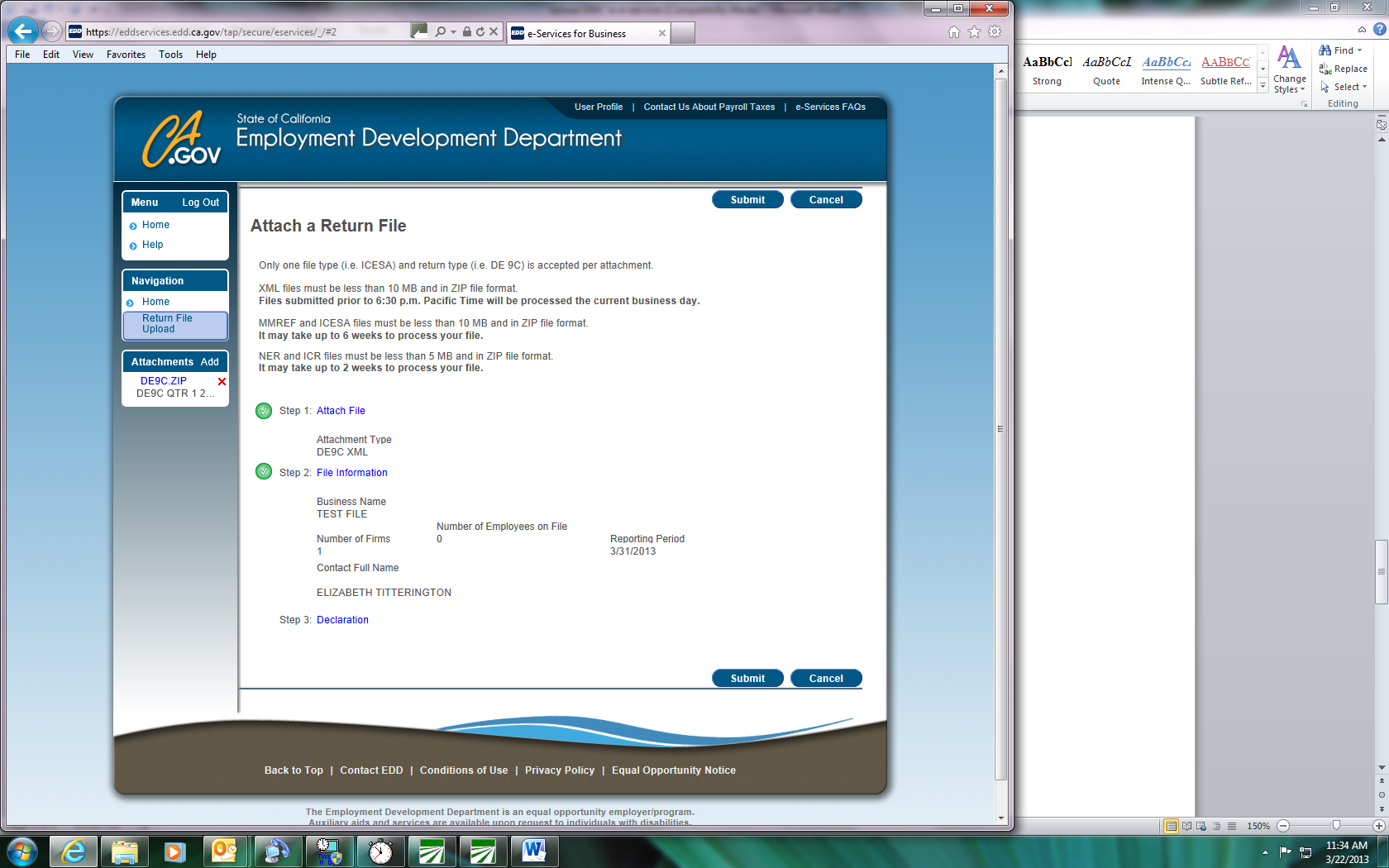
Fill in Declaration information and click Ok.
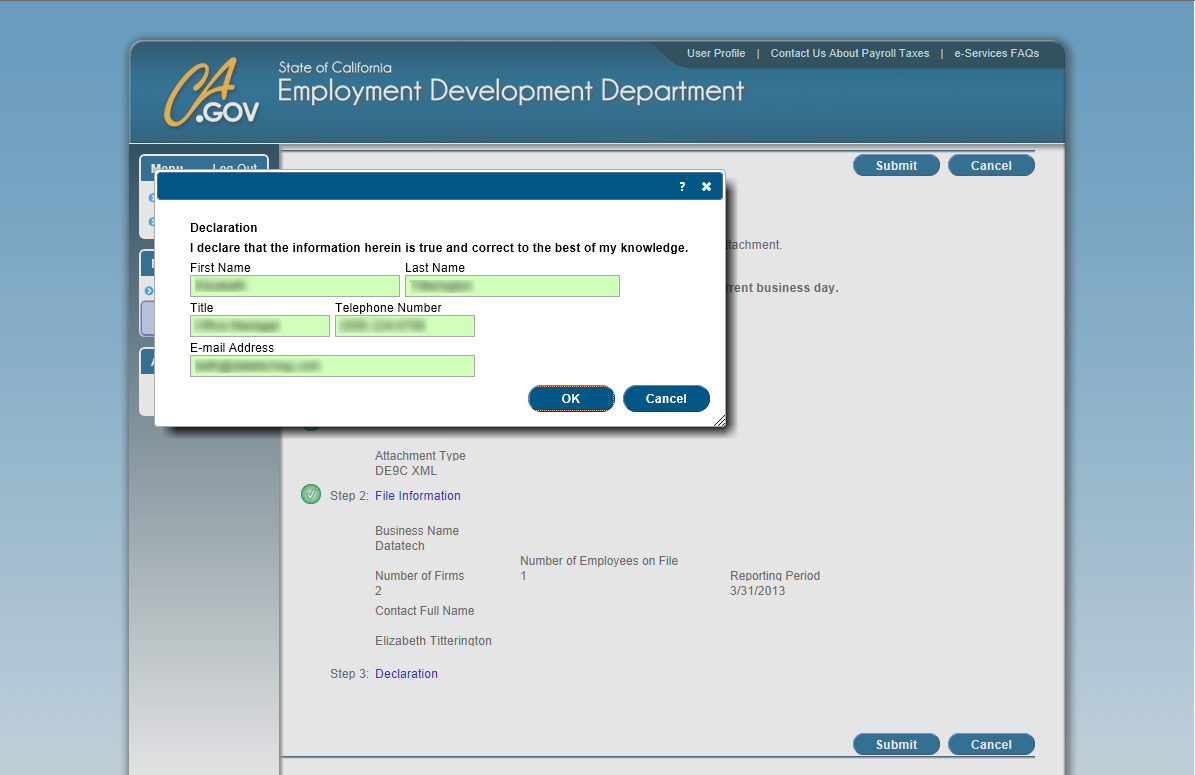
After completing the Declaration information, click Submit.

Print the confirmation page and click OK. Your browser will return to the main account page. Repeat this process (starting from the “Attach a Return File” link) to upload the other electronic file for the quarter.