Report by Chemical
Go to Pesticide Reporting > Reports > Report by Chemical.
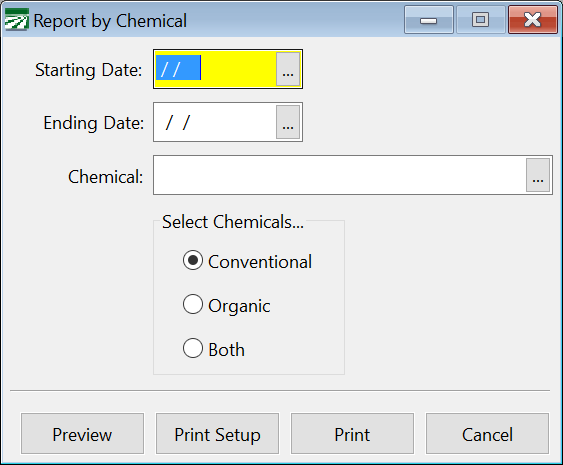
Starting Date / Ending Date
Enter a date range for the report.
Chemical
If you want to print the report for a single chemical, enter the ID here. Press [F4] or click on the lookup button to get a list from which you can select a chemical.
If you do not select a chemical, applications for all chemicals will be printed within the date range you have entered.
Select Chemicals
Select the chemicals for the report: Conventional, Organic, or Both.