2025 Significant Changes
Qualified Overtime
Under the “One Big Beautiful Bill Act” (OBBBA), if you are processing payroll for a non-ag business, you must report qualified overtime compensation to employees.
Tip If you are a business providing non-ag employment and need to report qualified overtime, see topic: Edit Additional W-2 Information > FLSA Overtime OT (QOC) Section.
Note Agricultural overtime does NOT qualify for the new federal tax deduction. This is because agricultural work is exempt from federal overtime rules according to the Fair Labor Standards Act (FLSA). Any work in conjunction with farming operations would not qualify for the overtime deduction. This means that no employees in an ag operation would be eligible for the overtime deduction, even office and non-field workers.
For a more detailed breakdown of the reason why agricultural overtime does not qualify for the deduction and what employers need to do, see our blogs:
No Tax on Overtime: What Qualifies & What We Know About 2025 Reporting
No Tax on Tips & Overtime Bill Now in Effect
Warning Bi-Weekly Payroll Notice:
To correctly calculate FLSA overtime, the paycheck must include daily or weekly time entries with dates worked that fall within the applicable workweek. These dated entries are required for the report to determine eligible overtime.
If the bi-weekly hours and overtime were not split by week, this report cannot be used. In that case, the FLSA Overtime Premium must be calculated and entered manually in the FLSA Overtime PREM Column in the Edit Additional W-2 Information window.
Qualified Tips
Setting Up Positions
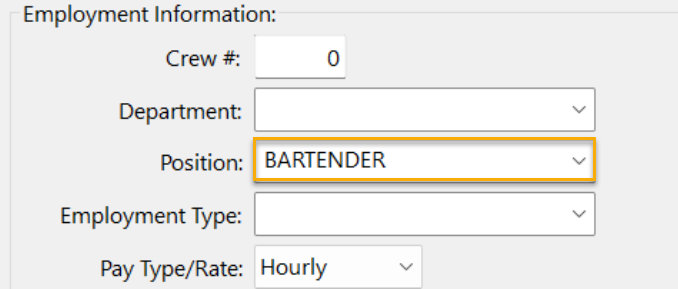
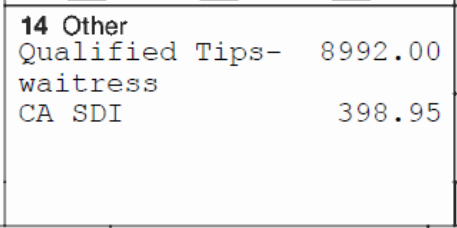
For 2025 reporting, Qualified Tips will be included in Box 14 of the W-2. You will need to set up a Position that will print along with the Qualified Wages.
Note For 2026, Tips will be printed in Box 12 along with an occupation code in a new Box (14b).
-
If you are not using Positions go to Payroll > Setup > Department/Position/Types.
-
Add any Positions that receive tips to the grid.
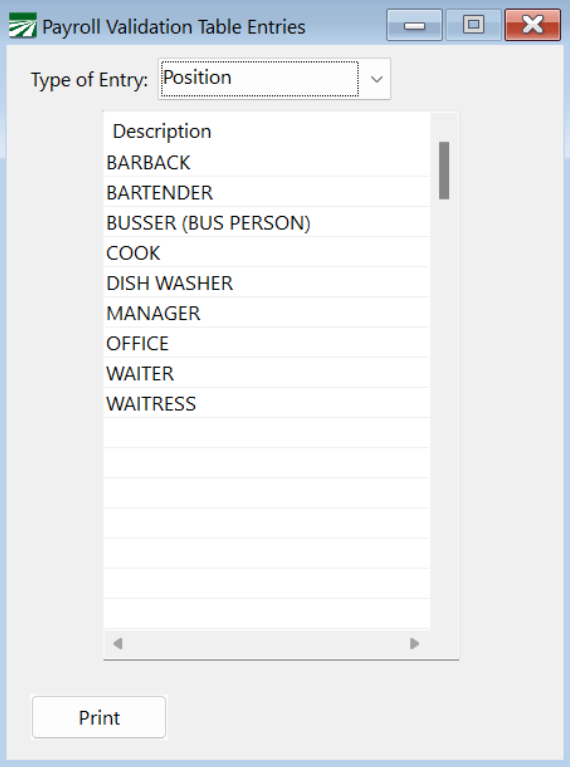
-
Add the Position to the Employee record(s):
Archiving YTD Totals
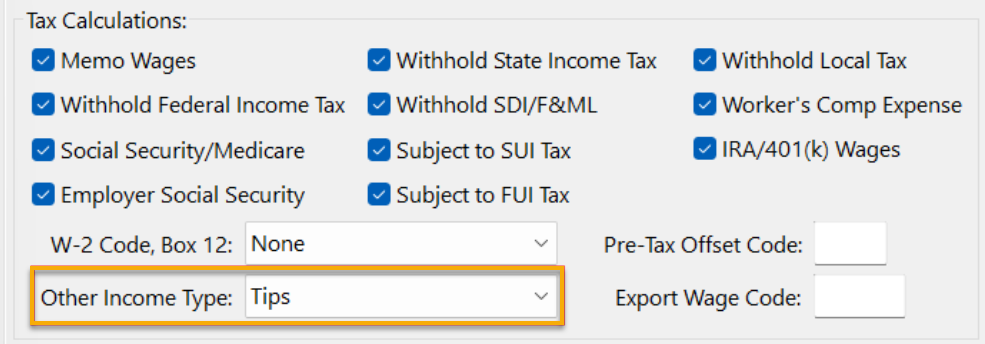
When archiving year-to-date totals, any wages
-
posted to a Wage Type
-
that is set to Tips in the Other Income Type
will be included in the Qualified Tips.
Note Qualified tips must be paid voluntarily by the customer and not be subject to negotiation. Qualified tips do not include certain service charges. For instance: if a restaurant imposes an automatic 18% service charge for large parties and distributes that amount to waiters, bussers, and kitchen staff, the amounts distributed are not qualified tips because the customer cannot disregard or modify the charge.
If you have been using the same wage type for voluntary tips AND service charges, you can edit the amount reported on the W-2 using the Edit Additional W-2 Information window.
Going forward you should use an alternate wage type for service charges.