Generate California Labor Contractor Pay Data
This window is used to generate a report to see which growers you sent employees to within a selected snapshot period.
Click here for the full tutorial.
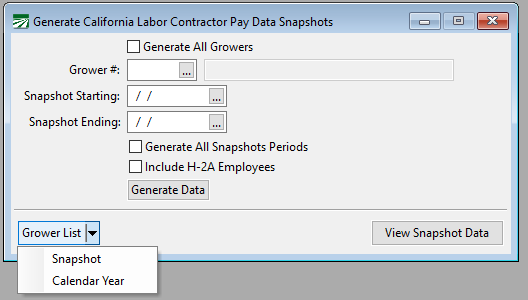
Generate All Growers
If you would like to see a report for all growers at one time, you can select this option.
Grower #
To see a report for a specific grower, simple use the lookup or enter their grower number.
Snapshot Starting/Ending Date
Enter the desired Snapshot Starting and Ending dates for the report. The “Snapshot Period” is a single pay period between October 1 and December 31 of the reporting year.
Generate All Snapshot Periods
Select Generate All Snapshot Periods to generate all snapshots starting with the Starting and Ending Snapshot dates you entered. This is useful if you want to be able to review all of the snapshot periods available for each grower to decide which one to use. While you can generate data for all snapshot periods, you are only required to provide the grower with information for one snapshot period.
Include H-2A Employees
You can include H-2A employees in your report by selecting this option.
Grower List
Snapshot: After entering the Snapshot Dates, select this option to see which growers you sent employees to during the selected dates.
Calendar Year: Without entering anything on the window, this option will generate a full list of the growers you sent workers to in the reporting year, showing the grower’s name and account number, employee counts, the starting and ending dates, and the snapshots available.
View Snapshot Data
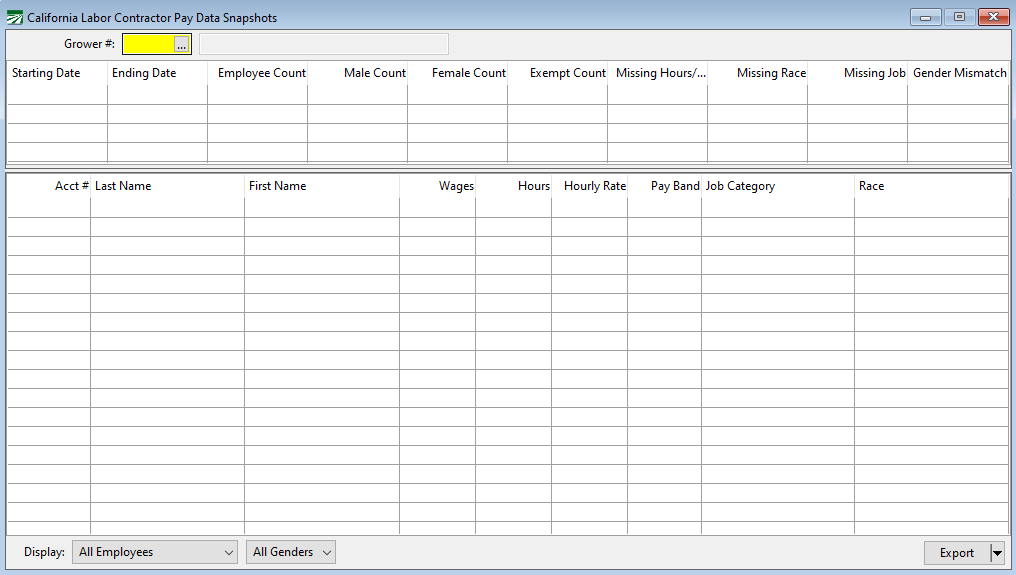
The California Labor Contractor Pay Data Snapshots window will open. This window allows you to view the grower snapshot data and make any necessary edits.